Why Your Business Needs a Mobile-Friendly Website Design

A mobile-friendly website is essential for businesses that want to reach customers, provide a positive user experience, and remain competitive online. With people accessing websites from smartphones and tablets throughout the day, your website needs to work just as effectively on smaller screens as it does on desktop computers.
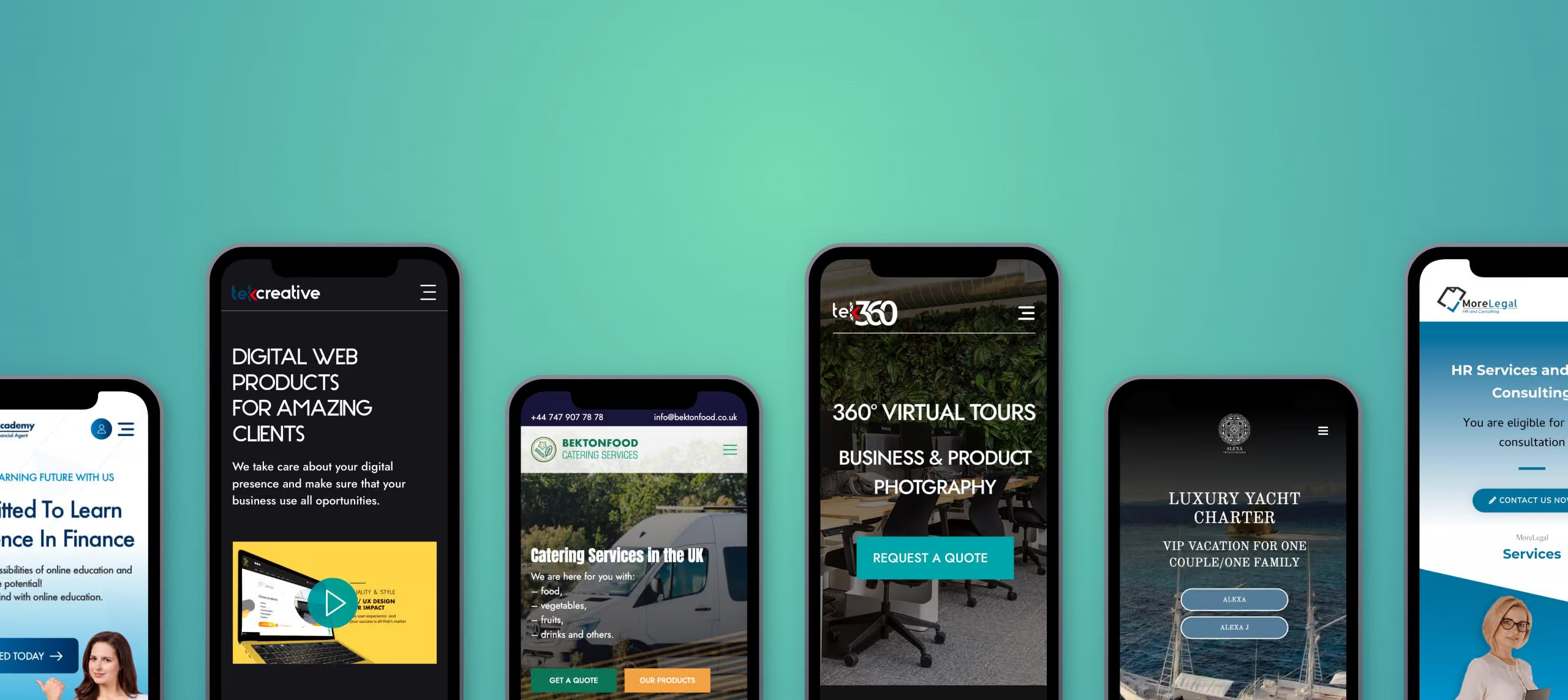
A website that is difficult to navigate on mobile devices can frustrate visitors, reduce enquiries, and create a poor impression of your business. In contrast, a responsive website design makes it easier for users to find information, explore your services, and take action.

Here are five reasons why investing in a mobile-friendly website design is important for your business.

1. Improve Your Search Engine Visibility

Mobile optimisation is an important part of technical SEO and website usability. Google primarily uses the mobile version of a website’s content for indexing, making it important to ensure that mobile users and search engines can access the same essential information.

A responsive website helps maintain a consistent experience across devices while making content easier to access and navigate.

However, mobile-friendly design alone does not guarantee higher search rankings. Search visibility also depends on content quality, website performance, technical SEO, and other ranking factors.

By combining responsive web design with a well-structured website and useful content, businesses can establish a stronger foundation for organic search performance.

2. Deliver a Better Mobile User Experience

Visitors expect websites to be easy to use, regardless of the device they choose. If text is too small, navigation is difficult, or important buttons are hard to tap, users may leave before finding what they need.

A well-designed mobile website adapts its layout to different screen sizes and prioritises the information visitors need most.

Important considerations include readable typography, clear navigation, appropriately sized buttons, well-structured content, and forms that are easy to complete on a touchscreen.

Mobile usability is particularly important for businesses that rely on website enquiries, bookings, or online sales. Removing unnecessary friction helps visitors move through the website and complete important actions more easily.

3. Reach More Potential Customers

Mobile devices are an important source of website traffic for businesses across many industries. Customers may discover your company through search engines, social media, online advertising, or links shared by other people, often while using a smartphone.

If your website does not work properly on mobile devices, you risk losing potential customers before they have an opportunity to understand your services.

Responsive web design allows your website to adapt to different devices without requiring separate desktop and mobile versions. This makes it easier to provide a consistent experience wherever visitors access your website.

For businesses looking to generate enquiries and sales online, supporting mobile users is an essential part of reaching and converting potential customers.

4. Build Trust and Professional Credibility

Your website often creates a first impression of your business. A poorly displayed mobile website can make a company appear outdated or difficult to deal with, even when its services are excellent.

A professional mobile website demonstrates attention to detail and helps visitors interact with your business confidently.

Clear service information, readable content, consistent branding, accessible contact details, and straightforward navigation all contribute to a more credible online presence.

The experience should also remain consistent across desktop and mobile devices. Visitors should be able to find the same essential information and complete important actions without encountering unnecessary limitations.

A well-designed mobile website helps reinforce your brand and makes it easier for potential customers to engage with your business.

5. Reduce Development and Maintenance Costs

In the past, some businesses maintained separate desktop and mobile websites to accommodate different screen sizes. Managing multiple versions can increase development time, create duplicated work, and make updates more complicated.

Responsive web design provides a more practical approach by allowing a single website to adapt to different devices.

With a responsive design, businesses can maintain one content management system, update information centrally, and improve the website without managing separate desktop and mobile experiences.

The initial development cost depends on the website’s complexity, design, and functionality. However, a well-planned responsive website can simplify ongoing maintenance and reduce unnecessary duplication.

It also provides a more flexible foundation for future improvements as new devices and screen sizes emerge.

Why Responsive Web Design Matters for Your Business

A mobile-friendly website is more than a design preference. It supports search visibility, usability, customer engagement, and the overall effectiveness of your online presence.

By ensuring that your website works well across smartphones, tablets, and desktop computers, you make it easier for visitors to access information and interact with your business.

A successful responsive website should also consider page speed, accessibility, content structure, and conversion paths. Simply shrinking a desktop layout to fit a smaller screen is not enough. The design and functionality must be appropriate for the way people use each device.

Create a Mobile-Friendly Website with TekCreative

At TekCreative, we develop websites that combine professional design with reliable technical implementation. Our approach focuses on creating responsive, accessible, and performance-conscious websites that support real business objectives.

Whether you need a new business website, improvements to an existing design, or a more comprehensive redevelopment, we can help you create an online experience that works across devices.

Explore our user experience and design services to learn how we approach website usability and responsive design.

You can also read our guide to 10 principles of clean and professional website design for more practical advice on creating a clear and consistent online experience.

If your website is difficult to use on mobile devices or no longer meets your business requirements, contact TekCreative to discuss how we can improve it.

featured posts

You might also like…

This is three col posts

A Simple Guide for an E-commerce project

Open post

Headless CMS: A Game-Changer for Modern Websites

Open post

Optimizing WordPress: Streamlining with Essential Plugins

Open post

Web Design vs. Web Development

Open post

WooCommerce vs. Shopify in 2026 – E-Commerce Dilemma

Open post
WHY US

Why choose u003cbu003eTekCreative?u003c/bu003e

We’re technical specialists who work across development, rebuilds and migrations, performance optimisation and ongoing support. We look at the code, database, integrations and infrastructure behind a platform, not just the visible frontend.rnrnWe don’t recommend a technology simply because it is newer, and we don’t build custom software when an existing platform is sufficient. We assess the requirements, explain the options and choose an approach that fits the project.rnrnOur work is based on measurable technical information wherever possible. We use profiling, testing and performance data to understand what is happening, then use that information to guide the work.

Results You Can Measure

We use technical measurements where they are relevant to the project, including performance data, Core Web Vitals, server response times, database performance and other project-specific indicators.

We Own the Technical Work

We work directly on the platforms we develop and support, with the technical decisions and implementation handled by our development team rather than passed through multiple layers.

We Don't Disappear After Launch

Launch is not necessarily the end of the technical work. We can continue with monitoring, maintenance, troubleshooting, performance improvements and further development as the platform evolves.

50+

Projects Delivered

5+

Years of Expertise

CONTACT US

Get in touch

Have a platform that needs improving, a new system to build, a migration to plan or technical problems that need investigating? Tell us what you’re working with, and we’ll give you a clear view of the possible approach.

Give us a call and get an answer in seconds

Speak directly with our team about your platform, what you’re trying to improve and the technical challenges you’re facing. We’ll give you an honest view of what would be involved and where we can help.

Fill the contact form and we will contact you

Tell us about your current platform, what isn’t working properly, what you’re trying to build or where you need technical support. We’ll review the details and come back with a clear assessment and next steps.

10 Principles of Clean and Professional Website Design

A professional website design does more than make a business look good. It helps visitors understand what a company offers, find the information they need, and feel confident about taking the next step.

A cluttered layout, inconsistent typography, slow-loading images, or confusing navigation can make even a good business appear less credible. In contrast, a clean and well-structured website creates a positive first impression while making it easier for visitors to interact with your content.

Whether you are building a new website or improving an existing one, following established web design principles can help you create a more effective online presence.

Here are 10 principles to consider when designing a clean, professional, and user-friendly website.

1. Use a Consistent Colour Palette

Colour plays an important role in how visitors perceive your brand. A consistent colour palette helps establish visual identity, creates a cohesive appearance, and makes important elements easier to recognise.

Start with your primary brand colours and use them consistently across headings, buttons, links, backgrounds, and other interface elements. Neutral colours such as white, grey, and darker tones can provide balance without overwhelming the content.

Avoid introducing too many competing colours without a clear purpose. Instead, use accent colours to highlight important actions, such as contacting your business or requesting a quote.

Colour contrast is equally important. Text and interactive elements should remain easy to distinguish from their backgrounds, including for visitors with visual impairments.

2. Make Effective Use of White Space

White space, also known as negative space, is the empty area between text, images, buttons, and other elements on a page. It does not have to be white. Its purpose is to give content room to breathe.

Effective use of white space improves readability, establishes visual hierarchy, and helps visitors focus on the most important information.

Avoid placing too many elements close together. Give headings, paragraphs, images, and calls to action enough separation to make the page easier to scan.

A clean layout does not mean removing all visual detail. It means creating a deliberate balance between content and space so that every element has a clear purpose.

3. Choose Clear and Consistent Typography

Typography affects both the appearance of a website and how easily visitors can read its content.

Choose typefaces that suit your brand and remain legible across different screen sizes. For most business websites, one or two complementary font families are sufficient. Establish consistent styles for headings, body text, buttons, navigation, and supporting information.

Use a clear heading hierarchy to organise content. An H1 should communicate the page’s main topic, while H2 and H3 headings divide the content into meaningful sections.

Body text should be comfortable to read on desktop and mobile devices. Pay attention to font size, line height, paragraph length, and contrast.

Consistent typography creates a more polished experience and helps visitors understand the structure of each page.

4. Maintain Consistent Alignment and Layout

A well-organised website uses consistent spacing, alignment, and layout rules to create a coherent visual experience.

Grid systems help designers position elements in relation to one another, keeping text, images, cards, and other components visually connected. Consistent content widths and spacing also make pages easier to scan.

For example, service pages can share a common structure for headings, descriptions, images, and calls to action. This gives the website a consistent appearance without making every page identical.

Good alignment is not just about aesthetics. It helps visitors understand relationships between content elements and navigate information more naturally.

5. Optimise Images for Website Performance

Images can make a website more engaging, communicate complex ideas, and strengthen a brand’s visual identity. However, large or poorly optimised image files can slow down page loading and negatively affect the user experience.

To improve website performance, choose appropriate image dimensions and formats, compress files without excessive quality loss, and avoid loading unnecessarily large images.

Modern formats such as WebP and AVIF can reduce file sizes while preserving visual quality. Responsive images allow browsers to select suitable versions for different screen sizes, while lazy loading can reduce unnecessary loading for images further down a page.

Performance should be considered during the development process, not treated as an afterthought. A visually attractive website also needs to load efficiently and remain responsive during everyday use.

6. Remove Unnecessary Visual Clutter

Every element on a website should serve a purpose. Excessive animations, decorative graphics, competing calls to action, and unnecessary content can distract visitors from the information they need.

A clean website design prioritises clarity. Each page should have a clear objective, with content and interface elements supporting that objective.

Review your pages and ask whether each section helps visitors understand your services, evaluate your business, or take a relevant action. If an element adds no meaningful value, consider removing or simplifying it.

Minimalism is not a requirement for every brand. The goal is to create a design that feels intentional, communicates effectively, and avoids unnecessary distractions.

7. Create Clear and Intuitive Website Navigation

Website navigation should help visitors find information without confusion. If users cannot locate your services, contact details, or other important pages, they may leave before engaging with your business.

Use clear menu labels that describe what visitors will find. Organise related pages into logical categories and maintain consistent navigation across the website.

For larger websites, consider whether dropdown menus, breadcrumbs, search functionality, or structured service categories would make information easier to access.

Calls to action should also be easy to identify. Depending on the page, these might include requesting a quote, booking a consultation, viewing a service, or contacting your team.

Good navigation supports the entire user experience by reducing friction and helping visitors move naturally through the website.

For more guidance, explore TekCreative’s user experience and design services.

8. Design for Mobile Devices

A professional website must work effectively across smartphones, tablets, laptops, and desktop computers. Mobile responsiveness is essential because visitors may access your website from a wide range of devices and screen sizes.

Responsive web design adapts layouts, typography, images, and navigation to the available screen space. Buttons and other interactive elements should be easy to use on touchscreens, while text should remain readable without unnecessary zooming or horizontal scrolling.

Mobile optimisation also requires attention to performance. Large images, excessive scripts, and poorly implemented interface components can make a website frustrating to use on slower connections.

Test key pages and user journeys across different screen sizes. Check forms, navigation menus, buttons, images, and interactive components rather than relying solely on how the homepage looks.

A mobile-friendly website helps create a consistent experience for visitors, regardless of how they access your business online.

9. Proofread All Website Content

Even a visually polished website can appear unprofessional if its content contains spelling mistakes, grammatical errors, outdated information, or inconsistent terminology.

Before publishing a page, check its headings, body text, buttons, forms, contact details, and supporting information. Make sure the language is clear, the information is accurate, and the content reflects your current services and brand.

Content quality also influences usability. Visitors should be able to understand what your business does, who your services are for, and how to get in touch without having to interpret vague or unnecessarily complicated language.

For SEO, use descriptive headings, relevant keywords, and informative page titles naturally. Avoid keyword stuffing or writing content solely to repeat search terms.

Clear, accurate, and well-structured content supports both visitors and search engines.

10. Test, Measure, and Improve Your Website

Website design should not stop when a site goes live. Real users may interact with the website differently from what was expected during the design process.

Testing helps identify problems with navigation, page layouts, forms, mobile usability, accessibility, and performance before they affect too many visitors.

Collect feedback from users and review relevant website data to understand where improvements may be needed. For example, if visitors frequently abandon a contact form, the process may be too complicated or a technical issue may be preventing successful submissions.

Useful checks include:

  • Testing navigation, forms, and interactive elements.
  • Reviewing mobile responsiveness and accessibility.
  • Measuring page performance and loading times.
  • Checking links, content accuracy, and browser compatibility.
  • Reviewing user behaviour and conversion performance.

Continuous improvement allows your website to evolve alongside your business, your customers’ expectations, and changes in technology.

Why Professional Website Design Matters

Clean and professional website design is about more than visual appearance. It combines branding, usability, accessibility, content structure, and technical performance to create a website that works for both visitors and the business behind it.

A consistent colour palette and typography establish a recognisable identity. Clear navigation and thoughtful layouts make information easier to find. Optimised images and responsive development support performance across devices, while testing helps ensure the website continues to meet its objectives.

These principles are most effective when considered together. A visually appealing website will not deliver its full potential if it is difficult to navigate, slow to load, or poorly structured.

Build a Professional Website with TekCreative

At TekCreative, we approach website design and development as connected parts of a wider technical solution. The aim is to create websites that look professional, communicate clearly, perform reliably, and support real business objectives.
From user experience and interface design to custom WordPress development and website performance optimisation, we help businesses build and improve their online presence around their specific requirements.

A well-designed website should not simply look good. It should make it easier for customers to understand your business, trust your brand, and take the next step.

featured posts

You might also like…

This is three col posts

A Simple Guide for an E-commerce project

Open post

Headless CMS: A Game-Changer for Modern Websites

Open post

Optimizing WordPress: Streamlining with Essential Plugins

Open post

Web Design vs. Web Development

Open post

WooCommerce vs. Shopify in 2026 – E-Commerce Dilemma

Open post
WHY US

Why choose TekCreative?

We’re technical specialists who work across development, rebuilds and migrations, performance optimisation and ongoing support. We look at the code, database, integrations and infrastructure behind a platform, not just the visible frontend.

We don’t recommend a technology simply because it is newer, and we don’t build custom software when an existing platform is sufficient. We assess the requirements, explain the options and choose an approach that fits the project.

Our work is based on measurable technical information wherever possible. We use profiling, testing and performance data to understand what is happening, then use that information to guide the work.

Results You Can Measure

We use technical measurements where they are relevant to the project, including performance data, Core Web Vitals, server response times, database performance and other project-specific indicators.

We Own the Technical Work

We work directly on the platforms we develop and support, with the technical decisions and implementation handled by our development team rather than passed through multiple layers.

We Don't Disappear After Launch

Launch is not necessarily the end of the technical work. We can continue with monitoring, maintenance, troubleshooting, performance improvements and further development as the platform evolves.

50+

Projects Delivered

5+

Years of Expertise

CONTACT US

Get in touch

Have a platform that needs improving, a new system to build, a migration to plan or technical problems that need investigating? Tell us what you’re working with, and we’ll give you a clear view of the possible approach.

Give us a call and get an answer in seconds

Speak directly with our team about your platform, what you’re trying to improve and the technical challenges you’re facing. We’ll give you an honest view of what would be involved and where we can help.

Fill the contact form and we will contact you

Tell us about your current platform, what isn’t working properly, what you’re trying to build or where you need technical support. We’ll review the details and come back with a clear assessment and next steps.

Why Businesses Choose Content Management Systems for Website Development

A website needs to do more than establish an online presence. It should help businesses communicate with customers, manage information efficiently, and adapt as their needs change. This is one of the main reasons why Content Management Systems (CMS) have become an essential part of modern website development.


A CMS allows businesses to create, edit, organise, and publish website content without needing to modify code for every update. With the right platform and technical setup, companies can manage their websites more independently while maintaining the flexibility to expand their online presence over time.

At TekCreative, we help businesses choose and implement website technologies that support their operational requirements, performance goals, and long-term growth. Here are five key reasons why businesses choose CMS platforms for their websites.

Reduce Website Management Costs

Building and maintaining a website from scratch can require significant development time and ongoing technical support. A content management system provides an established foundation for managing website content, helping reduce the need for custom development for routine tasks.

For example, marketing teams can update service pages, publish blog articles, add landing pages, and maintain company information without requesting a developer to make every change.

However, cost savings depend on the website’s requirements. A poorly configured CMS with excessive plugins or unnecessary customisations can increase maintenance costs over time. A well-planned implementation helps businesses balance flexibility, functionality, and long-term maintenance.

Improve Content Management Efficiency

A well-designed CMS makes everyday website management more efficient. Instead of relying on developers for routine content updates, authorised team members can manage information through an administrative interface.

Depending on the platform and configuration, businesses can benefit from features such as:

  • Content editing and publishing workflows
  • User roles and permissions
  • Scheduled publication of articles and pages
  • Reusable page layouts and content components
  • Centralised management of website content

These capabilities help marketing, sales, and communications teams work more effectively. They can publish updates, respond to changing customer needs, and keep website information accurate without introducing unnecessary delays.

Adapt Your Website as Your Business Grows

Business requirements change over time. New services, additional locations, marketing campaigns, and evolving customer expectations can all create new demands for a website.

A suitable CMS makes it easier to expand and update content as these requirements develop. Businesses can introduce new pages, reorganise information, and improve existing content without rebuilding the entire website.

The level of flexibility depends on the platform and how it has been developed. A standard CMS may be sufficient for a relatively straightforward website, while a business with complex workflows, integrations, or specialised functionality may benefit from custom development.

Choosing the right architecture from the beginning helps avoid unnecessary technical limitations and makes future improvements easier to implement.

Maintain Greater Control Over Your Website

A content management system gives businesses greater control over their online presence by allowing authorised users to manage website content directly.

Teams can update service descriptions, publish company news, revise product information, and maintain landing pages without depending on a developer for every change. This can improve response times and give marketing teams greater independence.

For businesses with more complex requirements, custom CMS development can provide additional control over how content is structured, displayed, and managed.

It is also important to distinguish content management from technical ownership. Hosting, domain registration, software maintenance, integrations, and security updates still require appropriate oversight. A well-built CMS should make content management straightforward while keeping the underlying technology maintainable.

Support Website Security and Reliability

Website security is an important consideration for any business. A CMS must be maintained properly to protect against vulnerabilities, unauthorised access, and other potential threats.

Established platforms often provide security-related capabilities, including user permissions, authentication controls, and options for managing access to sensitive areas. Additional protection may be available through hosting configuration, security tools, and carefully implemented application features.

However, no CMS is automatically secure simply because it is widely used. Outdated software, vulnerable plugins, weak passwords, and incorrect permissions can expose a website to risk.

Regular updates, appropriate access controls, secure hosting, backups, and ongoing technical maintenance all contribute to a more reliable website. Choosing a suitable platform and keeping it properly maintained are essential parts of a long-term security strategy.

Choosing the Right CMS for Your Business

Not every business needs the same content management solution. The right choice depends on the complexity of the website, the people managing its content, the required integrations, and the expected level of future development.

WordPress can be an effective option for businesses that need a flexible, manageable website with a well-established content management system. With custom development, it can support tailored page structures, advanced functionality, and more demanding business requirements.

For projects that require greater separation between content management and the website’s front end, a headless CMS may be worth considering. This approach allows content to be managed separately from the presentation layer, which can be useful when delivering content across multiple platforms or building a highly customised user experience.

The best solution is not necessarily the most complex one. It is the one that meets the business’s current needs without creating unnecessary costs or technical overhead.

Build a Website That Works for Your Business

A content management system can help businesses reduce routine development requests, improve publishing efficiency, maintain control over website content, and support future growth. These benefits depend on selecting the right platform and implementing it with performance, security, and maintainability in mind.

At TekCreative, we provide custom website development and CMS solutions designed around real business requirements. Whether you need a well-structured WordPress website, custom CMS functionality, or a headless architecture, we focus on building solutions that are practical, reliable, and ready to evolve with your business.

Explore our web development and maintenance services to find out how we can help with your website.

You can also read our article on headless CMS and its role in modern website development to understand when a headless approach may be the right choice.

featured posts

You might also like…

This is three col posts
A Simple Guide for an E-commerce project

Open post

Headless CMS: A Game-Changer for Modern Websites

Open post

Optimizing WordPress: Streamlining with Essential Plugins

Open post

Web Design vs. Web Development

Open post

WooCommerce vs. Shopify in 2026 – E-Commerce Dilemma

Open post
WHY US

Why choose TekCreative?

We’re technical specialists who work across development, rebuilds and migrations, performance optimisation and ongoing support. We look at the code, database, integrations and infrastructure behind a platform, not just the visible frontend.

We don’t recommend a technology simply because it is newer, and we don’t build custom software when an existing platform is sufficient. We assess the requirements, explain the options and choose an approach that fits the project.

Our work is based on measurable technical information wherever possible. We use profiling, testing and performance data to understand what is happening, then use that information to guide the work.

Results You Can Measure

We use technical measurements where they are relevant to the project, including performance data, Core Web Vitals, server response times, database performance and other project-specific indicators.

We Own the Technical Work

We work directly on the platforms we develop and support, with the technical decisions and implementation handled by our development team rather than passed through multiple layers.

We Don't Disappear After Launch

Launch is not necessarily the end of the technical work. We can continue with monitoring, maintenance, troubleshooting, performance improvements and further development as the platform evolves.

50+

Projects Delivered

5+

Years of Expertise

CONTACT US

Get in touch

Have a platform that needs improving, a new system to build, a migration to plan or technical problems that need investigating? Tell us what you’re working with, and we’ll give you a clear view of the possible approach.

Give us a call and get an answer in seconds

Speak directly with our team about your platform, what you’re trying to improve and the technical challenges you’re facing. We’ll give you an honest view of what would be involved and where we can help.

Fill the contact form and we will contact you

Tell us about your current platform, what isn’t working properly, what you’re trying to build or where you need technical support. We’ll review the details and come back with a clear assessment and next steps.

Headless CMS: A Game-Changer for Modern Websites

In today’s digital landscape, Content Management Systems (CMS) are crucial for businesses working to maintain dynamic websites. In this article, we’ll explore the world of CMS, delve into the concept of Headless CMS, and discover why TekCreative highly recommends it for building high-performance websites.

CMS and Headless CMS Web Development

What is a CMS?

A Content Management System, widely known as CMS, is a dynamic web-based application that allows administrators to efficiently update website content, create new pages and posts, and replace media elements without the need for coding expertise. The value of CMS lies in its intuitive interface, which resembles an interactive platform. Here, content can be edited using user-friendly editors, making it accessible even to individuals without a background in web development.

CMS platforms come in various flavours, with examples such as WordPress, Drupal, Joomla, OpenCart, Squarespace, Hubspot, Ghost, and Umbraco, each offering distinct levels of customization and ease of use. Nevertheless, their shared goal remains to empower administrators to take charge of their website content.

What is a Headless CMS and its Advantages?

With the evolution of technologies and the rise of new frameworks, a unique need emerged – how to combine the user-friendliness of a CMS like WordPress with the performance of a library like React, Vue, Angular, etc. The solution was to utilize APIs to separate the backend data management from the content presentation, and that is a game-changer. This concept birthed the Headless CMS, which is now revolutionizing the industry.

A Headless CMS distinguishes itself by decoupling the presentation layer, where content is displayed, from the backend, where content is managed. In simple terms, it allows you to manage your backend data using your preferred CMS while displaying it in different front-end technologies, such as React.

Key Advantages of a Headless CMS

  • Multi-Channel Support and Content Reusability: Content can be effortlessly delivered to various platforms and devices, including websites, mobile apps, IoT devices, and more. This streamlines the process of maintaining consistency across different platforms.
  • Front-End Freedom: Developers gain the flexibility to choose any technology or framework for the front-end, without being restricted by the CMS’s built-in templates. This offers limitless creative possibilities and ensures that content remains at the forefront.
  • Improved Performance: Headless CMS reduces the bloat associated with traditional CMS systems. Front-end code can be optimized for exceptional performance, and the use of image optimizers and content served by the CMS contributes to an improved user experience.
  • Enhanced Security: With the front-end and back-end decoupled, security risks on the front end do not automatically translate to vulnerabilities in the back-end CMS. This separation adds an extra layer of security.

Why TekCreative Proposes Headless CMS

At TekCreative, we’ve witnessed the increasing demand for Headless CMS, primarily driven by the remarkable performance it offers when combined with Next.js and because of its modern approach. Our clients frequently opt for WordPress in combination with GraphQL and Next.js to achieve outstanding results, often scoring up to 100 points on Lighthouse tests. We also explore alternatives for used CMS such as Ghost or Drupal, but WordPress remains our top choice.

By using Next.js alongside WordPress or another CMS, our clients leverage several advantages, including:

  • Excellent Performance: Exceptional load times and user experience.
  • Load Time Optimization: Utilizing “lazy loading” and automatic code splitting.
  • Developer-Friendly: A wealth of developer support and resources.
  • Faster Time to Market: Accelerated development timelines.
  • Enhanced SEO: Improved search engine visibility and ranking.

Conclusion

In conclusion, Headless CMS is an innovative solution that empowers businesses to break free from traditional CMS limitations, offering unparalleled flexibility, performance, and security. TekCreative serves as a clear example of the potential of Headless CMS, consistently delivering high-quality websites that meet the evolving demands of today’s digital landscape.

featured posts

You might also like…

This is three col posts
A Simple Guide for an E-commerce project

Open post

Are You Nailing On-Page Search Engine Optimization (SEO)?

Open post

Optimizing WordPress: Streamlining with Essential Plugins

Open post

Web Design vs. Web Development

Open post

WooCommerce vs. Shopify in 2026 – E-Commerce Dilemma

Open post
WHY US

Why choose TekCreative?

We’re technical specialists who work across development, rebuilds and migrations, performance optimisation and ongoing support. We look at the code, database, integrations and infrastructure behind a platform, not just the visible frontend.

We don’t recommend a technology simply because it is newer, and we don’t build custom software when an existing platform is sufficient. We assess the requirements, explain the options and choose an approach that fits the project.

Our work is based on measurable technical information wherever possible. We use profiling, testing and performance data to understand what is happening, then use that information to guide the work.

Results You Can Measure

We use technical measurements where they are relevant to the project, including performance data, Core Web Vitals, server response times, database performance and other project-specific indicators.

We Own the Technical Work

We work directly on the platforms we develop and support, with the technical decisions and implementation handled by our development team rather than passed through multiple layers.

We Don't Disappear After Launch

Launch is not necessarily the end of the technical work. We can continue with monitoring, maintenance, troubleshooting, performance improvements and further development as the platform evolves.

50+

Projects Delivered

5+

Years of Expertise

CONTACT US

Get in touch

Have a platform that needs improving, a new system to build, a migration to plan or technical problems that need investigating? Tell us what you’re working with, and we’ll give you a clear view of the possible approach.

Give us a call and get an answer in seconds

Speak directly with our team about your platform, what you’re trying to improve and the technical challenges you’re facing. We’ll give you an honest view of what would be involved and where we can help.

Fill the contact form and we will contact you

Tell us about your current platform, what isn’t working properly, what you’re trying to build or where you need technical support. We’ll review the details and come back with a clear assessment and next steps.

A Simple Guide for an E-commerce project

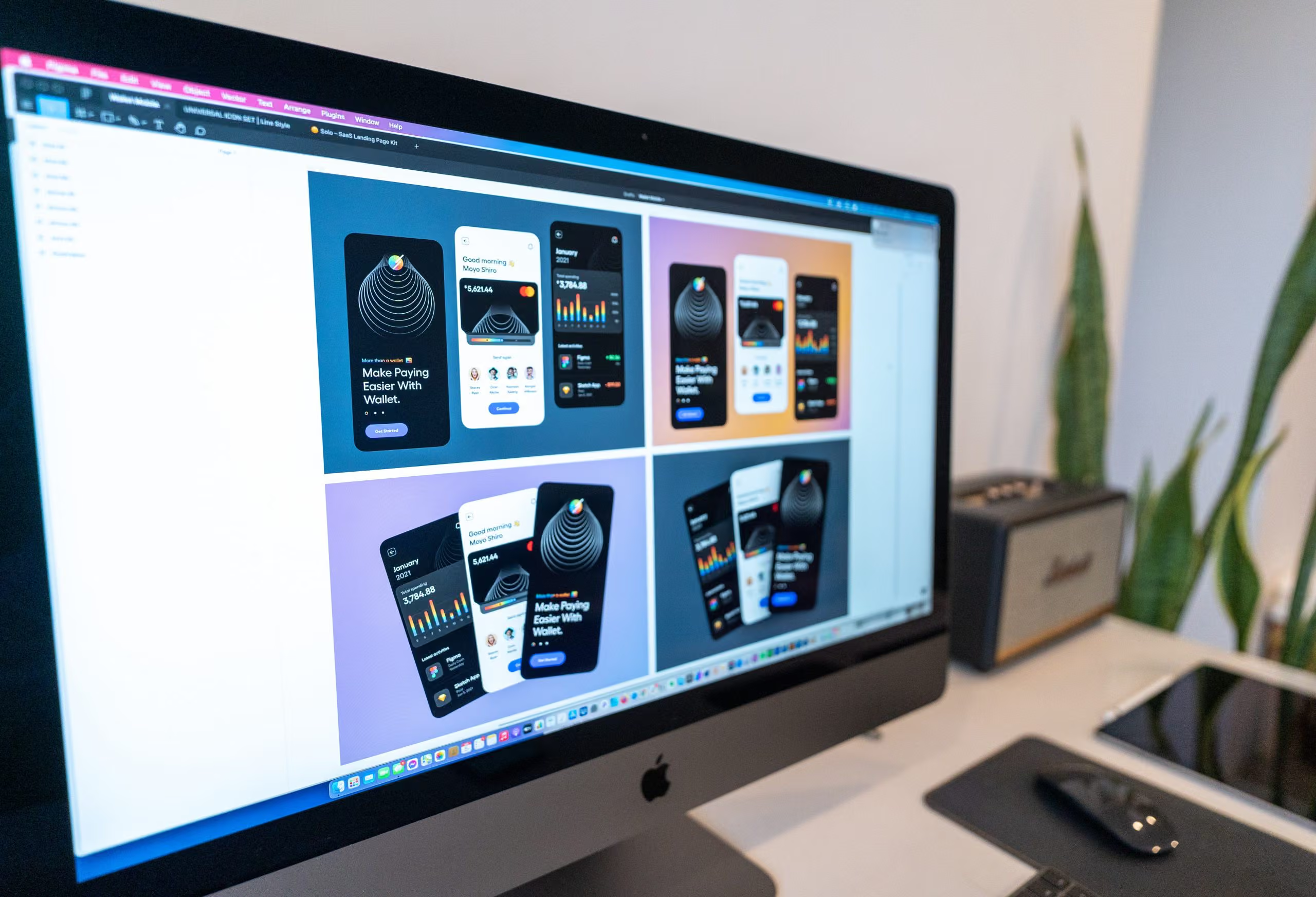
In the age of digital entrepreneurship, many individuals aspire to bring their products and services to the vast online market. While it’s easy to start on Amazon or eBay, those looking to establish a distinct brand identity and maintain complete control will find that creating their own e-commerce store is the preferred route. In this guide, we’ll explore the essential steps to launch your successful online venture.

Woocommerce, Shopify – E-commerce websites

In the age of digital entrepreneurship, many individuals aspire to bring their products and services to the vast online market. The availability of online tools and marketplaces has made this goal easier than ever. While it’s easy to start by selling on established platforms like Amazon or eBay, those looking to establish a distinct brand identity, minimize operational costs, and maintain complete control over their products and services will find that creating their own e-commerce store is the preferred route.

Whether you’re a burgeoning startup or a well-established enterprise, the most effective and simple way to sell online is by owning your e-commerce store. This not only gives you the freedom to handle inventory, create product displays, and manage sales and costs but also makes sure that your marketing efforts directly help your brand. Additionally, it enhances the visibility, credibility, and search engine ranking of your website.

Essential Steps to Launch Your E-commerce Store

1. Selecting the Right Content Management System (CMS)

The initial challenge you’ll encounter when building an e-commerce store is choosing the most suitable Content Management System (CMS). This decision is pivotal, as it will determine your ability to manage website content, products, images, and text without the need for an extensive IT department. Popular CMS options include:

  • WordPress + WooCommerce: Flexible, open-source, cost-effective
  • Shopify: Hosted, user-friendly, subscription-based
  • OpenCart, Prestashop, BigCommerce: Each with unique strengths

TekCreative’s Recommendation: We frequently advocate for WordPress + WooCommerce, especially for small and medium-sized e-commerce stores. Surprisingly, even stores with an extensive array of products can effectively utilize WooCommerce without encountering significant issues.

2. Legal and Compliance Considerations

Ensure that your future e-commerce store complies with all relevant laws and regulations. This includes addressing privacy policies, terms and conditions, as well as acquiring any necessary licenses or permits, especially if your products have specific legal requirements. This step is crucial for protecting both your business and customer interests.

3. Obtain Hosting and a Domain

If you haven’t already secured a domain, choose one that aligns with your brand or product offerings and is easy for customers to remember. When it comes to hosting, opt for a reliable, preferably cloud-based service with robust customer support.

4. Create a Comprehensive Product List

E-commerce covers a wide array of offerings, including physical goods, digital products, memberships, subscriptions, and services. Create a detailed product list, and consider using a CSV spreadsheet to store essential product information like SKU, title, description, prices, categories, images, and more. This spreadsheet can be easily imported once your e-commerce platform is set up.

5. Prepare Product Descriptions and Images

Compelling product listings rely on informative content. Craft succinct yet thorough product descriptions, incorporate detailed specifications, and provide high-quality images, multiple angles, and even videos to help customers make informed decisions.

6. Choose a Payment Gateway

To facilitate secure transactions, select a payment gateway that aligns with your business needs. Our recommendation is Stripe, appreciated for its versatility, ease of integration, and support for “Google Pay” and “Apple Pay.” Other viable options include PayPal, Square, and WooCommerce Payments, with your choice contingent on fees and integration costs that suit your comfort level.

7. Shipping Strategy

If your e-commerce business deals in physical products, establish a transparent shipping policy. Develop a comprehensive list of regions you serve and their corresponding delivery costs, allowing for easy, upfront shipping fee calculations. Customize prices based on factors like quantity, volume, or distance, and consider integrating tracking or delivery services for enhanced customer experience.

8. Set Up Functional Email Addresses

Maintain separate email addresses for general inquiries and sales inquiries to ensure you never miss an order notification. Verify the functionality of your email addresses and ensure that your new website is effectively sending notifications.

Let TekCreative Guide Your E-commerce Journey

By following these steps and considering the recommendations provided, you can confidently embark on your e-commerce journey. To make this process even smoother, TekCreative is here to assist in designing and building your e-commerce website. Our experts will ensure your site is fast, accessible, and fully functional. In our discovery sessions, we will work closely with you to define your goals and guide you in making informed decisions, allowing you to fully enjoy your online business venture. Wishing you great success with your e-commerce journey!

featured posts

You might also like…

This is three col posts

Are You Nailing On-Page Search Engine Optimization (SEO)?

Open post

Headless CMS: A Game-Changer for Modern Websites

Open post

Optimizing WordPress: Streamlining with Essential Plugins

Open post

WooCommerce vs. Shopify in 2026 – E-Commerce Dilemma

Open post

Web Design vs. Web Development

Open post
WHY US

Why choose TekCreative?

We’re technical specialists who work across development, rebuilds and migrations, performance optimisation and ongoing support. We look at the code, database, integrations and infrastructure behind a platform, not just the visible frontend.

We don’t recommend a technology simply because it is newer, and we don’t build custom software when an existing platform is sufficient. We assess the requirements, explain the options and choose an approach that fits the project.

Our work is based on measurable technical information wherever possible. We use profiling, testing and performance data to understand what is happening, then use that information to guide the work.

Results You Can Measure

We use technical measurements where they are relevant to the project, including performance data, Core Web Vitals, server response times, database performance and other project-specific indicators.

We Own the Technical Work

We work directly on the platforms we develop and support, with the technical decisions and implementation handled by our development team rather than passed through multiple layers.

We Don't Disappear After Launch

Launch is not necessarily the end of the technical work. We can continue with monitoring, maintenance, troubleshooting, performance improvements and further development as the platform evolves.

50+

Projects Delivered

5+

Years of Expertise

CONTACT US

Get in touch

Have a platform that needs improving, a new system to build, a migration to plan or technical problems that need investigating? Tell us what you’re working with, and we’ll give you a clear view of the possible approach.

Give us a call and get an answer in seconds

Speak directly with our team about your platform, what you’re trying to improve and the technical challenges you’re facing. We’ll give you an honest view of what would be involved and where we can help.

Fill the contact form and we will contact you

Tell us about your current platform, what isn’t working properly, what you’re trying to build or where you need technical support. We’ll review the details and come back with a clear assessment and next steps.
Optimizing WordPress: Streamlining with Essential Plugins

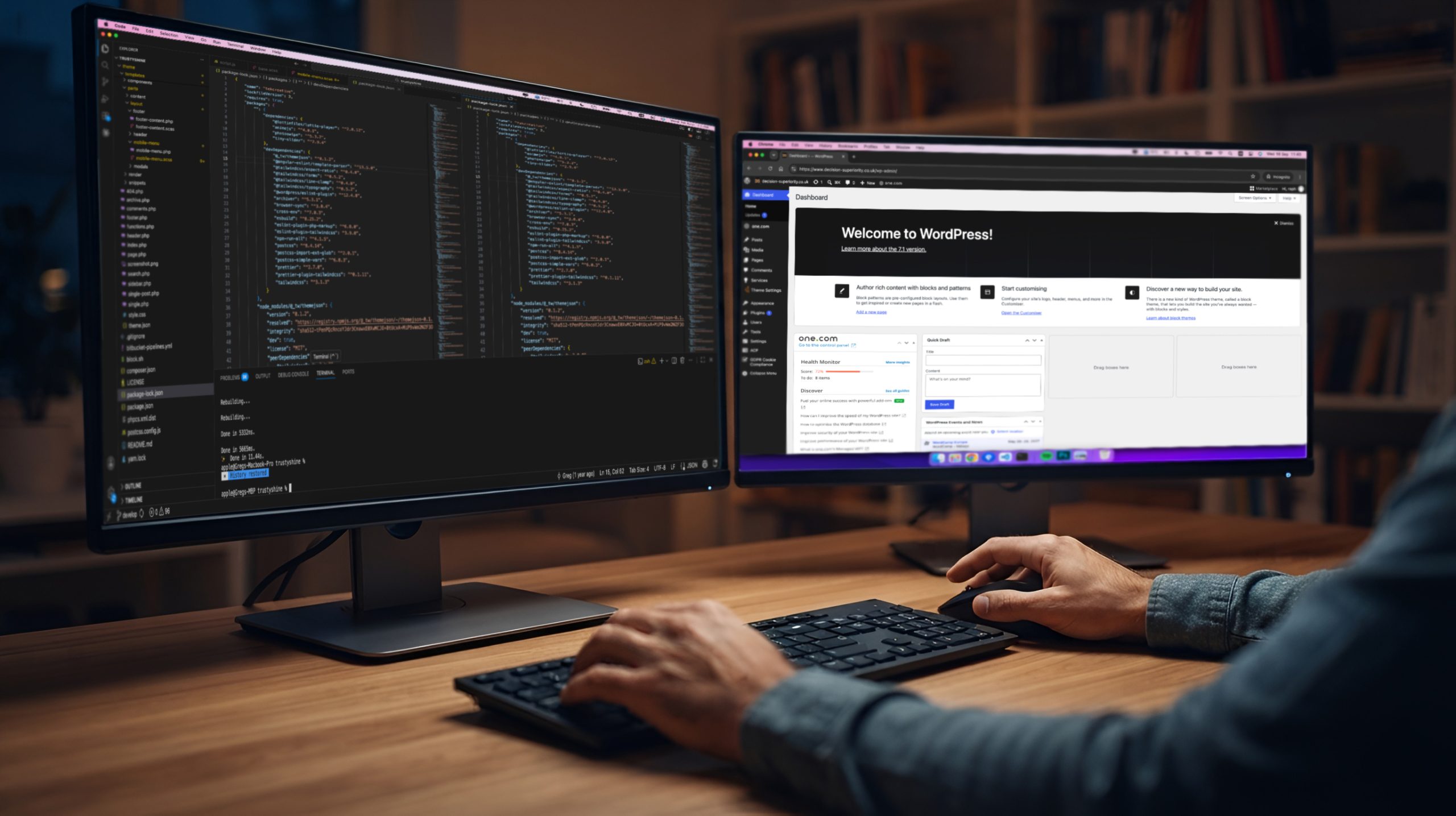
In the current digital landscape, WordPress websites continue to be a top choice for our clients. Their versatility, user-friendly backend, and ease of self-modification make them a preferred option. When it comes to implementing changes and adding features to a WordPress site, plugins are the go-to solution—small software pieces that seamlessly integrate with your WordPress setup. However, not all plugins are created equal; some may even slow down your site unnecessarily. Through our experience, we’ve observed instances where a few lines of code could replace certain plugins.

Essential WordPress Plugins

The Plugin Dilemma

In the current digital landscape, WordPress websites continue to be a top choice for our clients. Their versatility, user-friendly backend, and ease of self-modification make them a preferred option. When it comes to implementing changes and adding features to a WordPress site, plugins are the go-to solution—small software pieces that seamlessly integrate with your WordPress setup.

As part of our maintenance services, we take on the responsibility of keeping websites and plugins updated, ensuring their functionality stays current. However, not all plugins are created equal; some may even slow down your site unnecessarily. Through our experience, particularly in maintaining and optimizing WordPress sites built by other developers, we’ve observed instances where a few lines of code in the functions.php file could replace certain plugins.

Where Code Beats Plugins

Here are some detailed examples where custom code is superior:

  • Custom Post Types and Taxonomies: Your developers can leverage core WordPress functions like register_post_type() and register_taxonomy() to create custom post types and taxonomies. This avoids the need for additional plugins, providing a cleaner and more efficient solution tailored to your website’s specific needs.
  • Post or Product Ordering: When it comes to ordering your posts or products, utilizing a plugin may not be necessary. In the WordPress Dashboard, you can easily adjust the order of your posts by changing their dates—ascending or descending. Similarly, for products, access your products archive, click on the Sorting menu item, and drag and drop products into the desired positions.
  • Disable Comments: WordPress offers a built-in option to disable comments. For future posts, navigate to Settings -> Discussion and uncheck “Allow people to post comments in new articles.” To disable comments on old posts, open each post, scroll down, and uncheck “Allow comments.” If your WordPress theme is not properly checking the comment status, ask your theme developer to address this by fixing the theme.
  • Google Analytics or Facebook Pixel Integration: Contrary to common belief, you don’t need special plugins to integrate Google services or Facebook on your WordPress site. Both Google and Facebook provide scripts that need to be added to your website header. You can add these scripts directly or create a custom field in the customizer and call it in your header.php file.
  • Adding Custom Code or Scripts: Your WordPress site already utilizes various codes and scripts, and you don’t need additional plugins for this purpose. If your theme is custom, open the Theme Editor and add your code to the right file or place. For multipurpose commercial themes, request your developer to create a child theme and add your code there.
  • Enable Different Types of Files in Your Media: If your media files require support for additional formats like SVG or webp, you can simply ask your developer to use the “wp_check_filetype_and_ext” filter. This straightforward adjustment enables your website to accept various media types without relying on unnecessary plugins.
  • Adding Custom Text Before or After a Product: Enhancing your store with custom text before or after product prices doesn’t necessitate a plugin. Ask your developers to use the WooCommerce filter “woocommerce_available_variation” to modify the displayed price by adding the desired text.
  • Special Style Effects (e.g., Snow, Leaves, Rain): For seasonal style effects like snow on your website, avoid plugins as they can pose security risks and slow down your site. Instead, direct your developer to explore CSS solutions on platforms like CodePen. By adding a few lines of CSS in your customizer or even some JavaScript in your child theme, you can achieve the desired effects without compromising your website’s security or performance.

Maintenance Best Practices

While there are numerous plugins available, not all make sense for your website once it’s built. In our maintenance contracts, we highlight the ones that are commonly encountered, easily avoidable, and contribute to streamlining processes. If you’re uncertain about whether a specific plugin is necessary, don’t hesitate to ask us. We’ll provide a review based on your intentions. The rule of thumb is straightforward: if a plugin adds value that can be easily replicated, it’s best to avoid it. For more complex functions, using a plugin might be a better choice.

Additional advice pertains to the plugins you’ve employed, such as import tools, “coming soon” pages, duplicate page creators, etc. If you no longer use these tools, it’s advisable to deactivate and delete them. This not only frees up server space but also enhances your website’s versatility.

Our Philosophy

In our development process, we strive to minimize the use of plugins and opt for custom-built solutions tailored to your specific needs. You don’t need extensive plugins for minor functions, as they can leave unused files and functions on your server. We focus on delivering the essence of what you need, providing you precisely with what you’re looking for.

featured posts

You might also like…

This is three col posts

A Simple Guide for an E-commerce project

Open post

Are You Nailing On-Page Search Engine Optimization (SEO)?

Open post

Headless CMS: A Game-Changer for Modern Websites

Open post

Web Design vs. Web Development

Open post

WooCommerce vs. Shopify in 2026 – E-Commerce Dilemma

Open post
WHY US

Why choose TekCreative?

We’re technical specialists who work across development, rebuilds and migrations, performance optimisation and ongoing support. We look at the code, database, integrations and infrastructure behind a platform, not just the visible frontend.

We don’t recommend a technology simply because it is newer, and we don’t build custom software when an existing platform is sufficient. We assess the requirements, explain the options and choose an approach that fits the project.

Our work is based on measurable technical information wherever possible. We use profiling, testing and performance data to understand what is happening, then use that information to guide the work.

Results You Can Measure

We use technical measurements where they are relevant to the project, including performance data, Core Web Vitals, server response times, database performance and other project-specific indicators.

We Own the Technical Work

We work directly on the platforms we develop and support, with the technical decisions and implementation handled by our development team rather than passed through multiple layers.

We Don't Disappear After Launch

Launch is not necessarily the end of the technical work. We can continue with monitoring, maintenance, troubleshooting, performance improvements and further development as the platform evolves.

50+

Projects Delivered

5+

Years of Expertise

CONTACT US

Get in touch

Have a platform that needs improving, a new system to build, a migration to plan or technical problems that need investigating? Tell us what you’re working with, and we’ll give you a clear view of the possible approach.

Give us a call and get an answer in seconds

Speak directly with our team about your platform, what you’re trying to improve and the technical challenges you’re facing. We’ll give you an honest view of what would be involved and where we can help.

Fill the contact form and we will contact you

Tell us about your current platform, what isn’t working properly, what you’re trying to build or where you need technical support. We’ll review the details and come back with a clear assessment and next steps.
WooCommerce vs. Shopify in 2026 – E-Commerce Dilemma

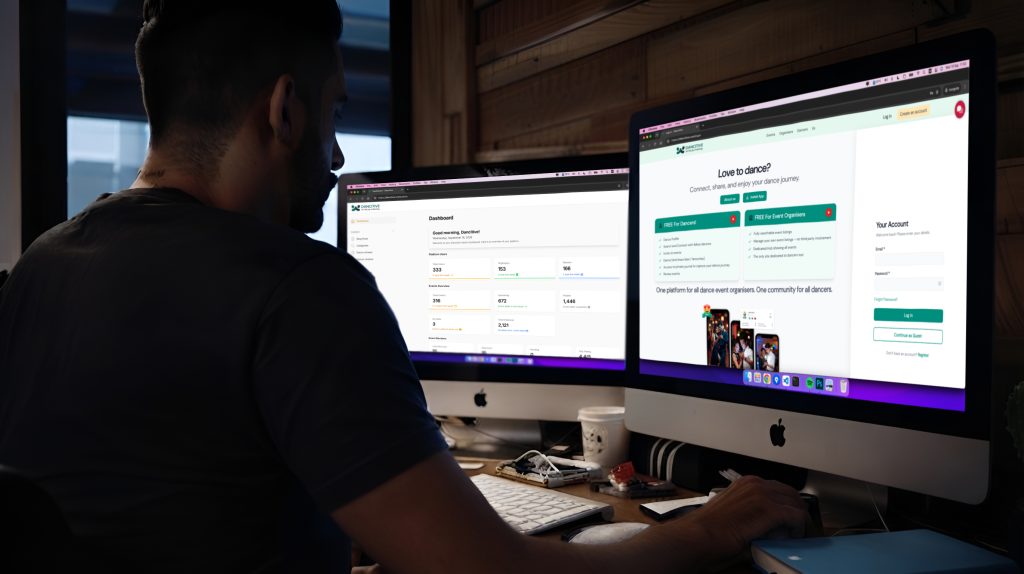
Navigating the dynamic realm of e-commerce demands careful consideration of the platform you choose. In this constantly evolving landscape, the decisions you make can significantly impact the success of your online venture. Two prominent contenders, WooCommerce and Shopify, emerge with unique offerings that cater to diverse business needs. In this comprehensive article, we delve into the intricacies of each platform, providing valuable insights to guide you through the complexities of the digital marketplace and empower you to make an informed choice for your online business.

WooCommerce vs Shopify – an explainer from Tekcreative

Understanding WooCommerce and Shopify

In the vast and ever-evolving landscape of e-commerce, two formidable players, WooCommerce and Shopify, stand out with distinctive features that can shape the destiny of your online business.

WooCommerce, a dynamic WordPress plugin, beckons entrepreneurs with the allure of open-source freedom. Delving into its capabilities, it seamlessly integrates with WordPress websites, showcasing its adaptability prowess. Whether you’re selling physical products, digital downloads, or a mix of both, WooCommerce flexes its muscles, offering a versatile platform tailored to various product types.

On the flip side, enter Shopify—a platform that positions itself as the epitome of simplicity and speed. Designed for those who prioritize ease of use and swift implementation, Shopify is a haven for smaller ventures and individuals less inclined towards technical intricacies. Picture a user-friendly interface that empowers users to set up shop quickly, making it an enticing option for those embarking on their online journey.

In this article, we unravel the layers of WooCommerce and Shopify, presenting you with a nuanced understanding of their strengths and weaknesses. Whether you’re drawn to the open-source flexibility of WooCommerce, the streamlined simplicity of Shopify, or the intricate process of decoding the features that suit your business best, we provide the facts and insights you need to navigate the intricate world of e-commerce and propel your online venture towards success.

Set-up Costs

  • WooCommerce: The WooCommerce journey usually kicks off with no upfront costs. Hosting, domain registration, and optional premium themes constitute the initial investment, offering flexibility in choosing budget-friendly options. It’s worth noting that, similar to Shopify, a domain purchase is also a requirement for a Shopify website, and premium themes may involve additional costs on both platforms. However, WooCommerce’s open-source nature allows for a broader spectrum of theme choices, often available at more competitive prices within the WordPress ecosystem.
  • Shopify: On the Shopify side, the set-up cost includes a minimum subscription fee starting at £25 per month. In addition to the subscription, there are transaction fees of 2% + 25p online and 1.7% + 0p in person. It’s essential to factor in these costs, along with potential expenses for premium themes and domain purchases, making the initial investment in a Shopify store relatively higher compared to WooCommerce.

Theme Development Costs

  • WooCommerce: WooCommerce taps into a vast community and marketplaces like Themeforest, where premium themes can be snagged for as low as £15. Custom themes, a testament to its flexibility, can be tailored for a starting price of £7000.
  • Shopify: Premium themes in the Shopify realm may demand a minimum of £50. When it comes to custom themes, brace yourself for a starting price of £9000, potentially up to 35% more expensive than a WooCommerce counterpart for similar functionality and design.

Monthly Costs

  • WooCommerce: Monthly costs in the WooCommerce realm hinge on hosting, with options as low as £5/month. This flexibility empowers businesses to tailor costs to their unique needs.
  • Shopify: A minimum monthly subscription fee of £25 and transaction fees loom over Shopify users. Costs can escalate to £344/month for advanced packages, making it a comparatively pricier choice for specific business models.

Plugin Costs

  • WooCommerce: The WordPress ecosystem boasts a myriad of plugins, often more affordable than their Shopify counterparts, providing a budget-friendly advantage.
  • Shopify: While both platforms offer plugin alternatives, WooCommerce’s plugins tend to be cheaper and more abundant, catering to a broader range of needs.

Transaction Fees

  • WooCommerce: Typically, there are no transaction fees imposed by WooCommerce. However, payment gateway fees may still apply.
  • Shopify: Transaction fees are part of the cost structure, with rates varying based on the subscription plan. Using Shopify Payments can reduce these fees.

Ownership and Control

  • WooCommerce: As an open-source platform, you have complete ownership and control over your website. You can choose your hosting provider and have access to the site’s code.
  • Shopify: Being a hosted solution, Shopify manages the technical aspects. While this simplifies the process, it means less control over server configurations.

Server Requirements

  • WooCommerce: As a WordPress plugin, WooCommerce’s server requirements align with those of WordPress. It is compatible with most standard hosting environments, making it versatile and adaptable to various server configurations.
  • Shopify: Being a hosted solution, Shopify manages server requirements internally, reducing the need for users to handle server configurations. While this simplifies the setup process, it may limit flexibility for users who prefer to have more control over their hosting environment.

Customization and Flexibility

  • WooCommerce: Offers extensive customization options due to its open-source nature. Developers have full access to the code, allowing for tailored solutions and unique features.
  • Shopify: While it provides customization options, Shopify’s capabilities are somewhat constrained compared to WooCommerce. Advanced customization may require more technical expertise.

Ease of Use

  • WooCommerce: This can be more complex, especially for users who are not familiar with WordPress. However, it provides powerful features for those willing to invest time in learning.
  • Shopify: Known for its user-friendly interface, making it an excellent choice for beginners. The platform is designed for simplicity, with a more intuitive setup process.

Choosing the Right Platform

Shopify shines for smaller, less tech-savvy businesses requiring a swift setup and streamlined operation. In contrast, WooCommerce stands tall, offering unparalleled flexibility and cost-effectiveness for those with diverse product types and intricate business needs.

In conclusion, the WooCommerce vs. Shopify debate ultimately boils down to your business’s specific nuances and requirements. TekCreative stands ready to assist with both, ensuring a seamless experience and guiding you toward the platform that aligns perfectly with your unique aspirations. Contact us for tailored guidance on your e-commerce journey.

featured posts

You might also like…

This is three col posts

Are You Nailing On-Page Search Engine Optimization (SEO)?

Open post

Web Design vs. Web Development

Open post

A Simple Guide for an E-commerce project

Open post

Headless CMS: A Game-Changer for Modern Websites

Open post

Optimizing WordPress: Streamlining with Essential Plugins

Open post
WHY US

Why choose TekCreative?

We’re technical specialists who work across development, rebuilds and migrations, performance optimisation and ongoing support. We look at the code, database, integrations and infrastructure behind a platform, not just the visible frontend.

We don’t recommend a technology simply because it is newer, and we don’t build custom software when an existing platform is sufficient. We assess the requirements, explain the options and choose an approach that fits the project.

Our work is based on measurable technical information wherever possible. We use profiling, testing and performance data to understand what is happening, then use that information to guide the work.

Results You Can Measure

We use technical measurements where they are relevant to the project, including performance data, Core Web Vitals, server response times, database performance and other project-specific indicators.

We Own the Technical Work

We work directly on the platforms we develop and support, with the technical decisions and implementation handled by our development team rather than passed through multiple layers.

We Don't Disappear After Launch

Launch is not necessarily the end of the technical work. We can continue with monitoring, maintenance, troubleshooting, performance improvements and further development as the platform evolves.

50+

Projects Delivered

5+

Years of Expertise

CONTACT US

Get in touch

Have a platform that needs improving, a new system to build, a migration to plan or technical problems that need investigating? Tell us what you’re working with, and we’ll give you a clear view of the possible approach.

Give us a call and get an answer in seconds

Speak directly with our team about your platform, what you’re trying to improve and the technical challenges you’re facing. We’ll give you an honest view of what would be involved and where we can help.

Fill the contact form and we will contact you

Tell us about your current platform, what isn’t working properly, what you’re trying to build or where you need technical support. We’ll review the details and come back with a clear assessment and next steps.

Are You Nailing On-Page Search Engine Optimization (SEO)?

Embarking on the digital journey, mastering the art of Search Engine Optimization (SEO) is the key to unlocking online success. For businesses striving to carve out a solid online presence, delving into the intricacies of SEO is not just important—it’s the secret sauce. In this article, we’ll demystify the world of SEO, explore its two main types, delve into crucial On-Page actions, and shed light on why teaming up with experts like TekCreative can make a world of difference.

Search Engine Optimization (SEO) Services by TekCreative. On-Page and Off-Page SEO.

What is SEO and Why Does a Website Need It

SEO, short for Search Engine Optimization, is like a digital compass steering your website towards the spotlight on search engines such as Google, Bing, and Yahoo. Its primary mission? Elevate organic (non-paid) search results, bringing in relevant, high-quality traffic. Neglecting SEO in an era where users turn to search engines for everything can result in missed opportunities and a fading online presence.

Types of SEO: On-Page and Off-Page

Think of SEO as a dynamic duo: On-Page and Off-Page. On-Page SEO is the website’s inner makeover, tweaking content and HTML to align with audience needs and search engine algorithms. TekCreative not only focuses on crafting compelling content but also dives into the technical aspects, optimizing your website code for versatility and SEO friendliness. Off-Page SEO, on the other hand, builds your website’s authority through external factors like backlinks and social signals. TekCreative stands out in both On-Page and Off-Page SEO, ensuring a holistic approach to online success.

On-Page Actions Every Website Should Follow for Success

On-Page SEO Checklist for Small Businesses

For small businesses, mastering on-page SEO is a game-changer. Our checklist includes:

  • Title Tag Optimization: Include the primary keyword. Keep it within 50-60 characters.
  • Meta Description: Craft a compelling meta description with relevant keywords. Limit it to 150-160 characters.
  • Header Tags (H1, H2, H3, etc.): Organize content with clear heading tags. Use keywords naturally.
  • URL Structure: Keep URLs concise and include relevant keywords. Use hyphens to separate words.
  • Keyword Placement: Include primary and related keywords naturally in the content. Prioritize keywords in the first paragraph.
  • Image Optimization: Use descriptive file names for images. Add alt text with relevant keywords.
  • Content Quality: Provide valuable, informative, and engaging content. Aim for a sufficient word count, depending on the topic.
  • Page Loading Speed: Optimize images and use browser caching. Minimize CSS and JavaScript files.
  • Internal Linking: Link to other relevant pages within your website. Use anchor text that describes the linked content.
  • Schema Markup: Use schema markup to provide additional context to search engines.
  • Social Sharing Integration: Include social sharing buttons to encourage sharing.

Improve Website Ranking Through On-Page Optimization

By implementing these on-page SEO practices, you can take concrete steps to improve your website’s ranking and organic visibility. When your website is optimized effectively, search engines reward you with better visibility and higher rankings, driving more organic traffic to your digital doorstep.

How TekCreative Can Help Instead of Doing It In-House

Juggling SEO in-house can be a feat, especially when your main focus is your business’s core operations. TekCreative steps in with specialized expertise and professional SEO services, allowing you to concentrate on your primary goals and products. By entrusting your On-Page and Off-Page SEO needs to TekCreative, you gain access to a dedicated team that not only stays on top of industry trends but also optimizes your website code, ensuring it aligns seamlessly with search engine requirements.

In essence, TekCreative doesn’t just stop at crafting compelling content—they roll up their sleeves and dive into the nitty-gritty of code, making sure your website ticks all the boxes for search engine success.

Hire SEO Agency for On-Page Optimization

For businesses seeking professional assistance with on-page optimization, partnering with an SEO agency like TekCreative can provide valuable expertise and ensure a holistic approach to online success. With our seasoned professionals at the helm, your website receives a comprehensive on-page facelift, ensuring it stands out in the competitive digital landscape.

Conclusion

In the ever-evolving digital landscape, acing both On-Page and Off-Page SEO is the linchpin for a website’s triumph. TekCreative, with its comprehensive services, emerges as a trusted ally for businesses looking to amplify their online presence. By understanding the essence of SEO, recognizing its varied types, and implementing a harmonious blend of On-Page and Off-Page strategies, businesses can chart a course for enduring online success. Remember, for local businesses, incorporating local SEO best practices is crucial for improved local search visibility. And if your venture involves e-commerce, consider these specific on-page SEO practices, ensuring your online store thrives in the digital marketplace.

featured posts

You might also like…

This is three col posts

A Simple Guide for an E-commerce project

Open post

Headless CMS: A Game-Changer for Modern Websites

Open post

Optimizing WordPress: Streamlining with Essential Plugins

Open post

Web Design vs. Web Development

Open post

WooCommerce vs. Shopify in 2026 – E-Commerce Dilemma

Open post
WHY US

Why choose TekCreative?

We’re technical specialists who work across development, rebuilds and migrations, performance optimisation and ongoing support. We look at the code, database, integrations and infrastructure behind a platform, not just the visible frontend.

We don’t recommend a technology simply because it is newer, and we don’t build custom software when an existing platform is sufficient. We assess the requirements, explain the options and choose an approach that fits the project.

Our work is based on measurable technical information wherever possible. We use profiling, testing and performance data to understand what is happening, then use that information to guide the work.

Results You Can Measure

We use technical measurements where they are relevant to the project, including performance data, Core Web Vitals, server response times, database performance and other project-specific indicators.

We Own the Technical Work

We work directly on the platforms we develop and support, with the technical decisions and implementation handled by our development team rather than passed through multiple layers.

We Don't Disappear After Launch

Launch is not necessarily the end of the technical work. We can continue with monitoring, maintenance, troubleshooting, performance improvements and further development as the platform evolves.

50+

Projects Delivered

5+

Years of Expertise

CONTACT US

Get in touch

Have a platform that needs improving, a new system to build, a migration to plan or technical problems that need investigating? Tell us what you’re working with, and we’ll give you a clear view of the possible approach.

Give us a call and get an answer in seconds

Speak directly with our team about your platform, what you’re trying to improve and the technical challenges you’re facing. We’ll give you an honest view of what would be involved and where we can help.

Fill the contact form and we will contact you

Tell us about your current platform, what isn’t working properly, what you’re trying to build or where you need technical support. We’ll review the details and come back with a clear assessment and next steps.

Web Design vs. Web Development

In the vast and ever-evolving realm of digital creation, the distinction between web design and web development often blurs, leaving many clients and even professionals scratching their heads in confusion. It’s a common scenario: you approach a digital agency seeking to bring your online vision to life, only to be met with jargon that seems to meld these two disciplines into one indistinguishable blob. But fear not, for clarity is within reach. Understanding the nuances between web design and web development is not only enlightening but also empowers you to make informed decisions, navigate pricing structures, and harness the full potential of your digital presence.

Web Design vs. Web Development – an explainer from Tekcreative

Web Design: Crafting Digital Experiences with Artistry and Intuition

At its core, web design is the creative heartbeat of your online presence. It’s where aesthetics meet functionality, and user experience takes centre stage. Here’s a glimpse into what makes up the intricate tapestry of web design:

  • Wireframing: Think of wireframing as the blueprint for your digital abode. It’s the skeletal framework upon which the entire user experience is built, outlining the layout and flow of your website’s elements.
  • UX Design (User Experience): Ever visited a website that felt like a labyrinth of confusion? That’s where UX design comes in. It’s all about crafting seamless, intuitive pathways for your visitors, ensuring they can navigate your digital landscape with ease and delight.
  • UI Design (User Interface): UI design is the visual expression of your brand’s personality. It encompasses everything from colour schemes and typography to buttons and menus, creating a cohesive and visually stunning interface that captivates your audience.
  • Prototyping: Prototyping bridges the gap between imagination and reality. It allows you to interact with a tangible representation of your website before a single line of code is written, providing invaluable insights and opportunities for refinement.

Web Development: Breathing Life into Digital Dreams

While web design sets the stage, web development is the engine that drives your digital ambitions forward. It’s the intricate web of code that transforms pixels into palpable experiences. Here’s a glimpse into the inner workings of web development:

  • Backend Development: Behind every beautiful website lies a robust backend infrastructure. Backend developers are the architects of this digital foundation, building and maintaining the server-side logic and databases that power your online presence.
  • Frontend Development: Frontend developers are the magicians who bring designs to life. They wield languages like HTML, CSS, and JavaScript to translate visual concepts into interactive experiences, ensuring your website is as functional as it is beautiful.
  • Web Ops (Operations): Web ops professionals are the unsung heroes of the digital world. They handle everything from deployment and scaling to maintenance and security, ensuring your website remains operational and secure around the clock.

Collaboration: Where Design and Development Converge

In the dynamic ecosystem of a digital agency, web design and web development are not isolated entities but rather interconnected threads in the fabric of creation. Here’s how they collaborate to bring your digital dreams to life:

  • Discovery Session: It all begins with a collaborative discovery session, where designers and developers alike immerse themselves in your vision, teasing out its essence and uncovering its unique challenges and opportunities.
  • QA (Quality Assurance): Throughout the design and development process, QA serves as the bridge between vision and execution. Developers provide invaluable feedback to designers, ensuring that technical constraints and requirements are taken into account.
  • Prototyping and Approval: Designs evolve through a cycle of prototyping and approval, with input from both design and development teams shaping the final product, ensuring it’s not only visually stunning but also technically feasible.

Why They're Two Sides of the Same Coin

In the grand tapestry of digital creation, web design and web development are not adversaries but rather symbiotic partners, each bringing its own unique strengths to the table. Here’s why recognizing their individual contributions is crucial:

  • Different Skill Sets: Web design and web development require distinct skill sets, from creativity and intuition to technical prowess and problem-solving acumen.
  • Separate Departments, Unified Vision: While they may operate within separate departments, designers and developers share a unified vision: to create digital experiences that resonate with audiences and drive results.
  • Sold Separately, Thrive Together: While they’re often bundled together, web design and web development can also thrive as standalone services, catering to the diverse needs and priorities of clients.

In Conclusion: Embracing the Symphony of Digital Creation

In the symphony of digital creation, web design and web development are the harmonious notes that give melody to your online presence. By understanding the unique contributions of each discipline, you empower yourself to navigate the digital landscape with confidence, harnessing the full potential of your online ambitions. So, the next time you embark on a digital journey, remember: that web design and web development may be two different paths, but together, they lead to the same destination: digital success.

At TekCreative, we understand the importance of seamless collaboration between web development and web design departments. Whether you require web development and web design as separate services or as part of a comprehensive digital product, we’re here to ensure your vision comes to life flawlessly. From websites to apps to software, TekCreative is committed to delivering the greatest digital product possible.

featured posts

You might also like…

This is three col posts

A Simple Guide for an E-commerce project

Open post

Are You Nailing On-Page Search Engine Optimization (SEO)?

Open post

Headless CMS: A Game-Changer for Modern Websites

Open post

Optimizing WordPress: Streamlining with Essential Plugins

Open post

WooCommerce vs. Shopify in 2026 – E-Commerce Dilemma

Open post
WHY US

Why choose TekCreative?

We’re technical specialists who work across development, rebuilds and migrations, performance optimisation and ongoing support. We look at the code, database, integrations and infrastructure behind a platform, not just the visible frontend.

We don’t recommend a technology simply because it is newer, and we don’t build custom software when an existing platform is sufficient. We assess the requirements, explain the options and choose an approach that fits the project.

Our work is based on measurable technical information wherever possible. We use profiling, testing and performance data to understand what is happening, then use that information to guide the work.

Results You Can Measure

We use technical measurements where they are relevant to the project, including performance data, Core Web Vitals, server response times, database performance and other project-specific indicators.

We Own the Technical Work

We work directly on the platforms we develop and support, with the technical decisions and implementation handled by our development team rather than passed through multiple layers.

We Don't Disappear After Launch

Launch is not necessarily the end of the technical work. We can continue with monitoring, maintenance, troubleshooting, performance improvements and further development as the platform evolves.

50+

Projects Delivered

5+

Years of Expertise

CONTACT US

Get in touch

Have a platform that needs improving, a new system to build, a migration to plan or technical problems that need investigating? Tell us what you’re working with, and we’ll give you a clear view of the possible approach.

Give us a call and get an answer in seconds

Speak directly with our team about your platform, what you’re trying to improve and the technical challenges you’re facing. We’ll give you an honest view of what would be involved and where we can help.

Fill the contact form and we will contact you

Tell us about your current platform, what isn’t working properly, what you’re trying to build or where you need technical support. We’ll review the details and come back with a clear assessment and next steps.
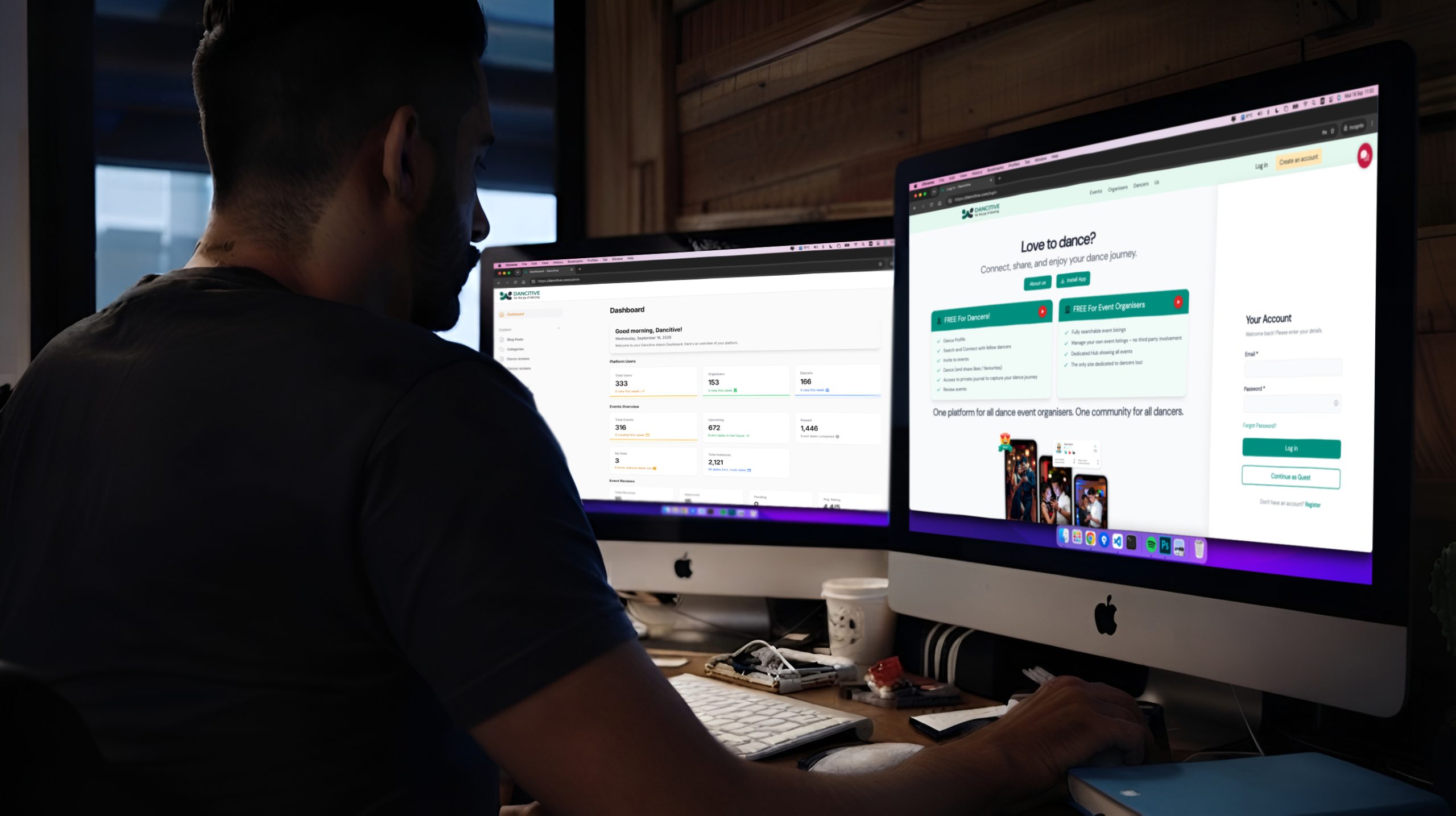
?>