
Exit Pop-Up by TekCreative
Exit Pop-Up by TekCreative is a custom WordPress plugin designed to help WooCommerce stores capture potential customers before they leave. It detects exit-intent behaviour and displays targeted offers, from discount codes to newsletter signups, at relevant points in the shopping journey.
With built-in integrations for Klaviyo and Brevo, captured leads can flow directly into existing email marketing workflows. Store owners can manage campaign content, design, display rules and integration settings from the WordPress dashboard, without needing a developer for everyday changes.

Type
WordPress Plugin
The Launch Date
August 2026
Link
TBA
Exit Pop-Up: A Custom WordPress Plugin for WooCommerce Lead Generation
Exit Pop-Up helps online stores turn potential exits into opportunities to grow their email marketing lists. By detecting when a visitor is about to leave a website, the plugin displays a targeted offer, such as a discount, newsletter signup or campaign incentive, giving visitors a reason to engage before they go.
Built specifically for WordPress and WooCommerce, the plugin allows store owners to control where and when pop-ups appear, customise their design and content, and connect captured leads directly to Klaviyo or Brevo. The result is a practical lead-generation tool that fits into the existing eCommerce and marketing workflow without requiring a separate platform.
A Configurable Exit-Intent Plugin Integrated with WooCommerce and Email Marketing
We developed Exit Pop-Up as a custom WordPress plugin to give online stores more control over how they capture potential customers and manage marketing signups. Rather than relying on a generic pop-up solution, the plugin combines exit-intent detection, WooCommerce-aware targeting, lead capture and email marketing integrations within a single tool.
The frontend detects exit-intent behaviour on desktop and uses mobile-friendly alternatives to support visitors on different devices. When the configured conditions are met, a customisable pop-up displays the campaign message and incentive. Visitors can submit their details without a full page reload, while the plugin checks previous submissions to help prevent duplicate capture and repeated offers.
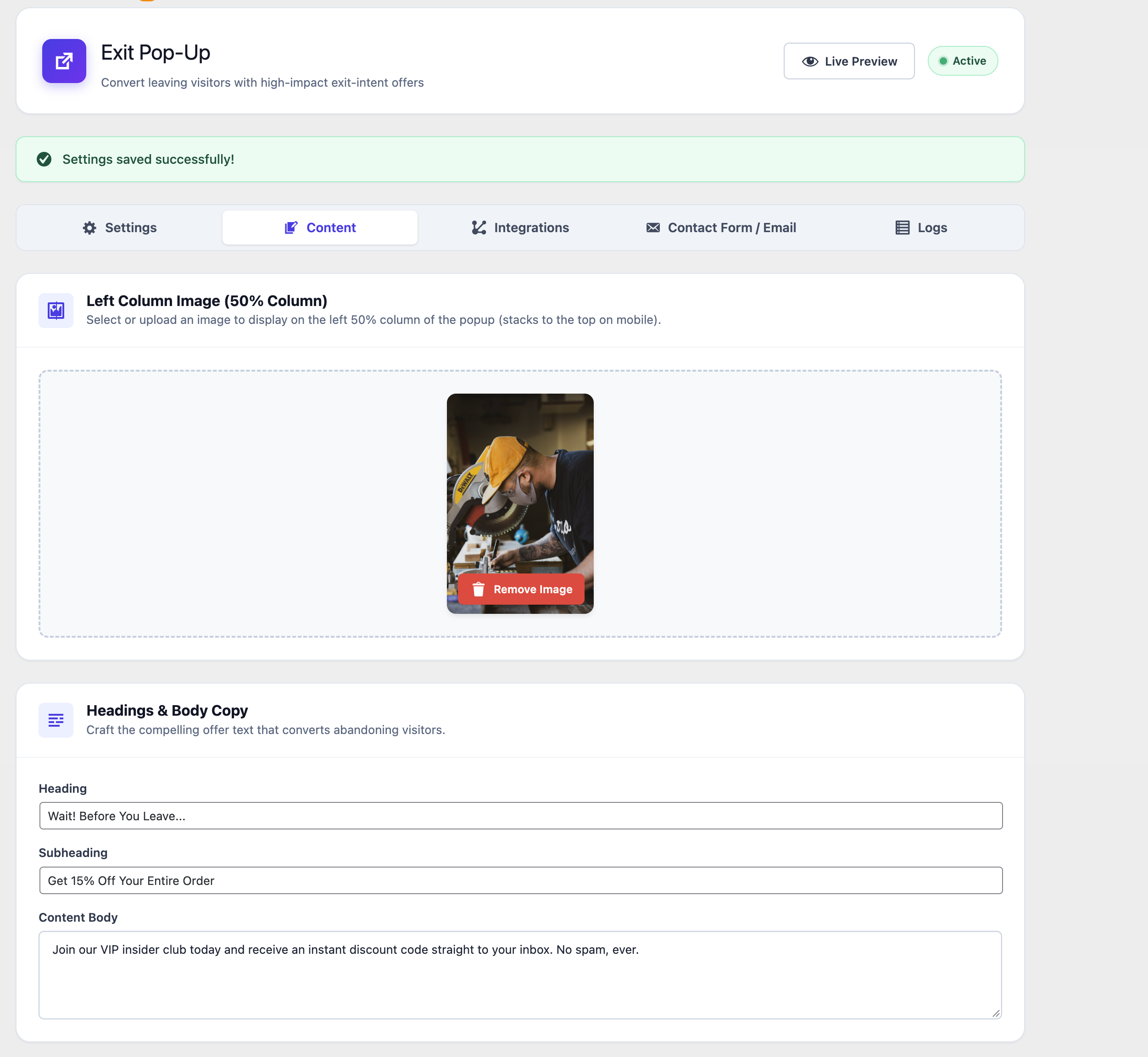
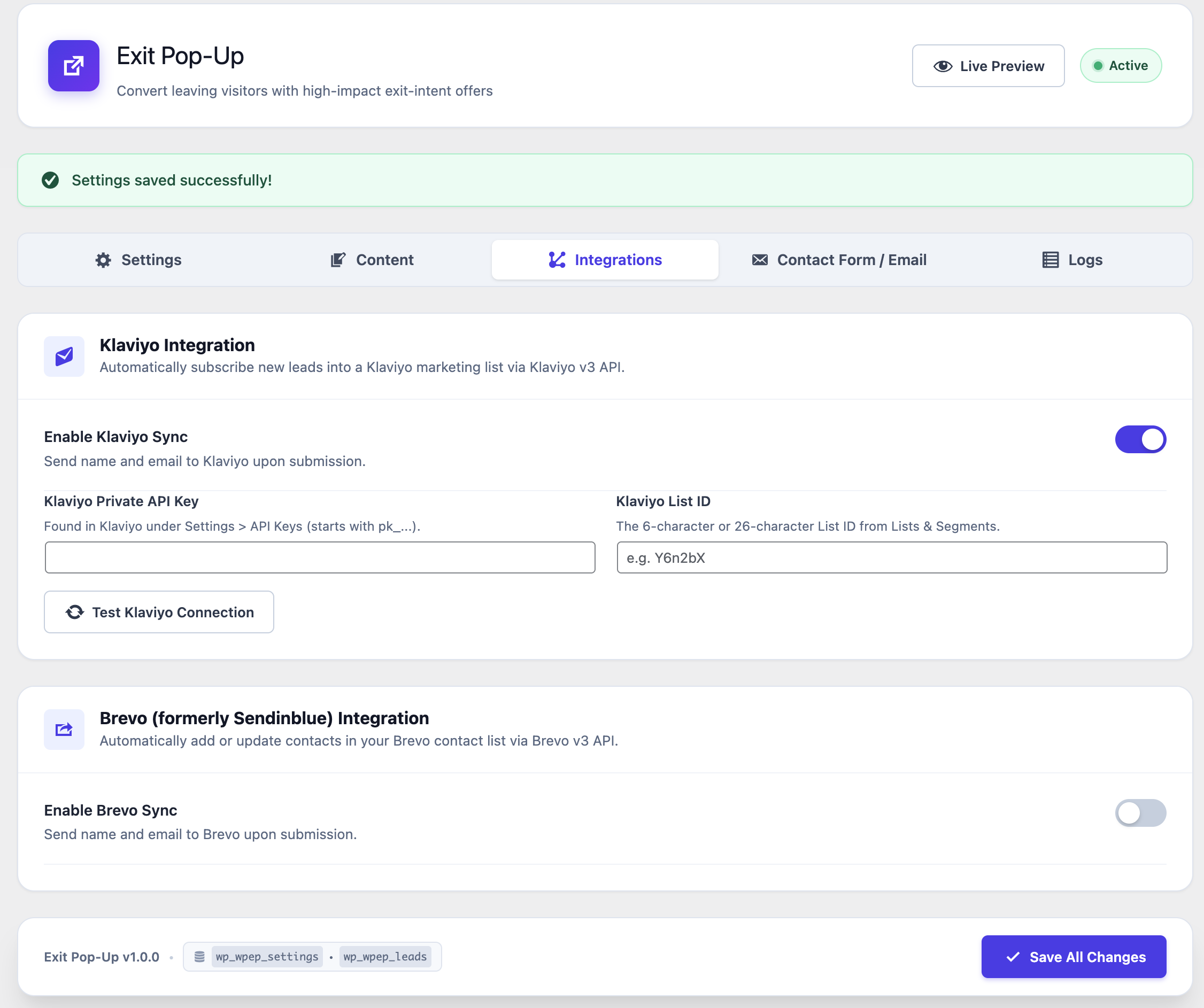
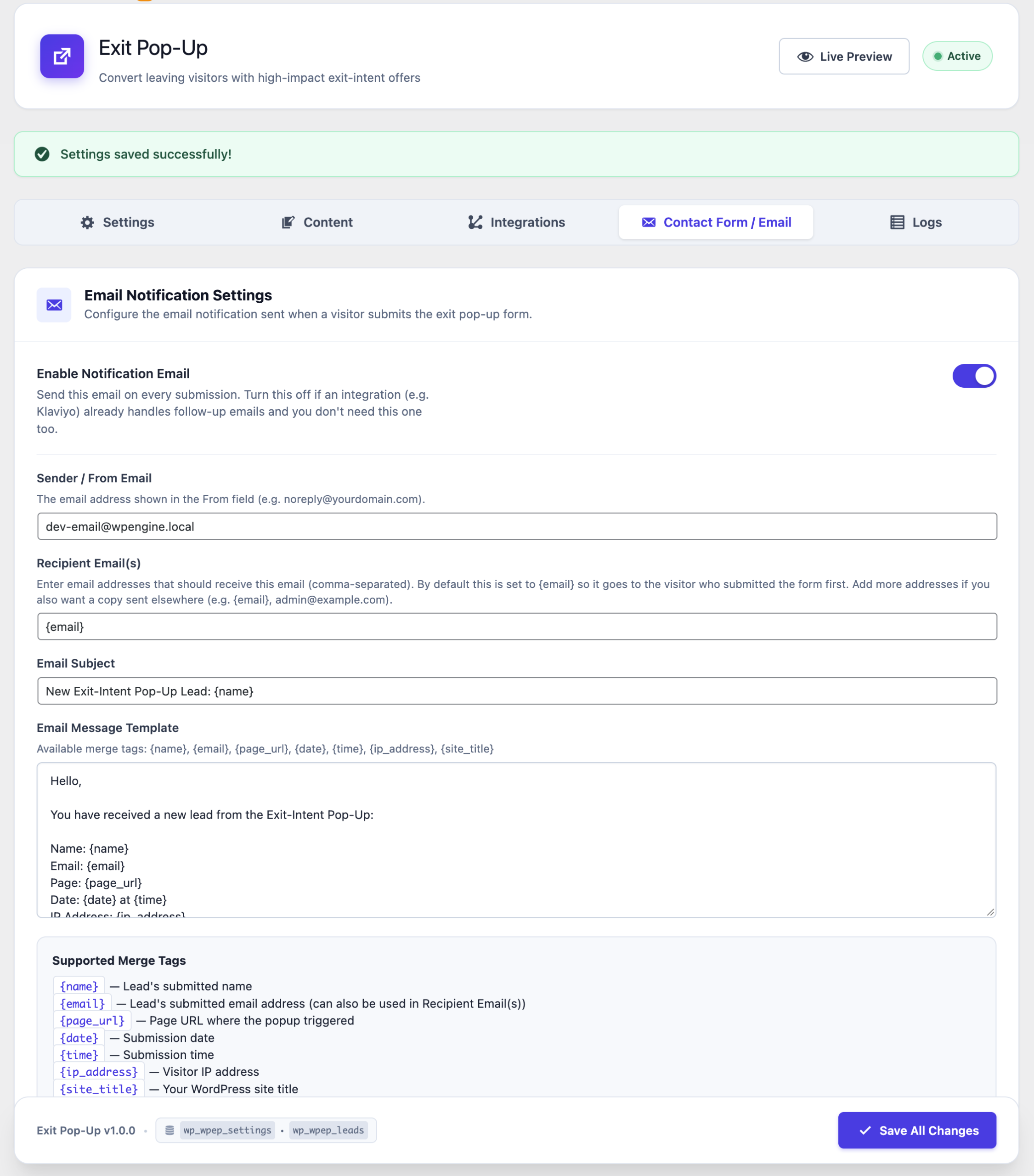
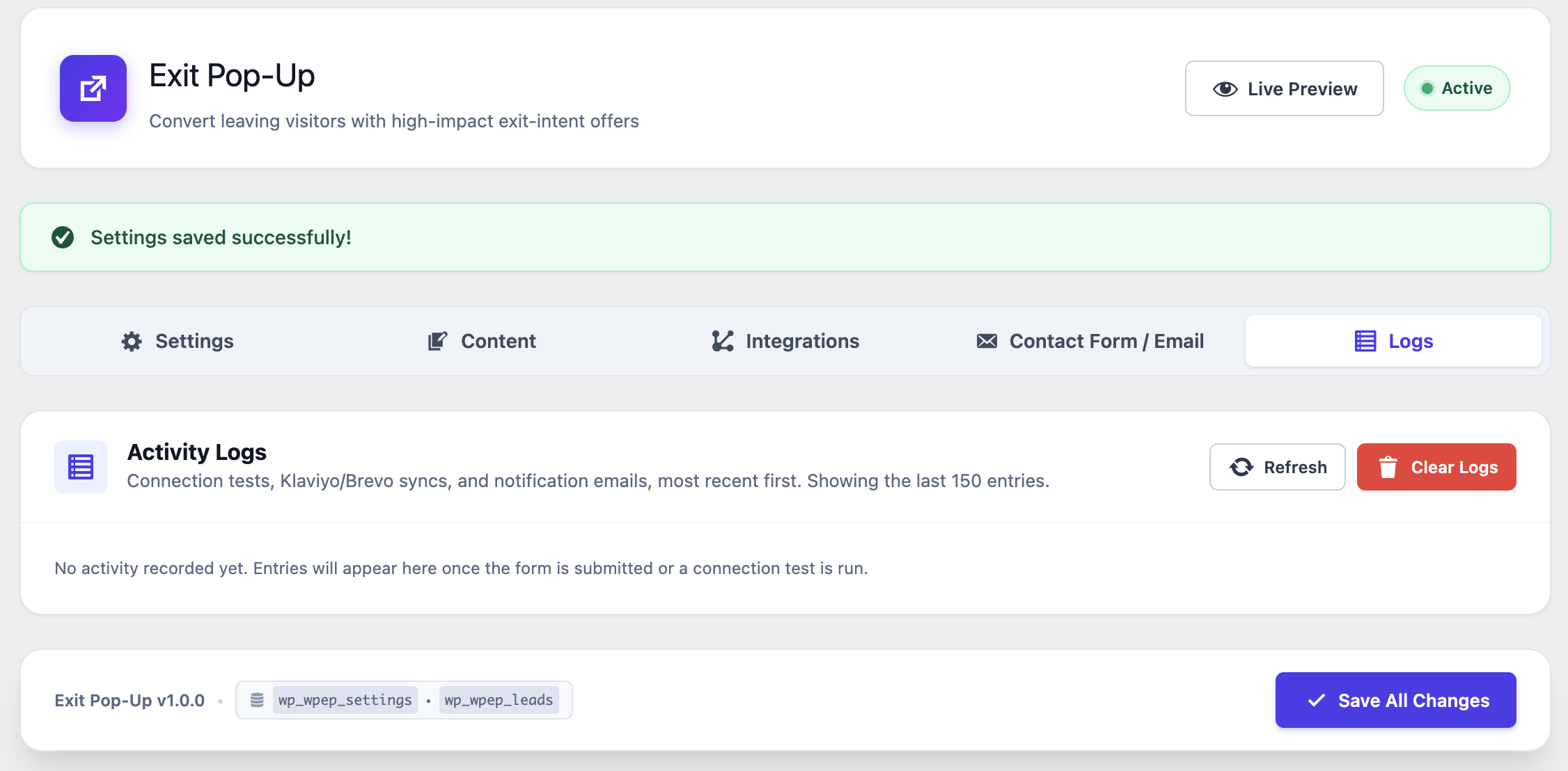
Captured leads can be sent directly to Klaviyo or Brevo through their APIs, allowing businesses to connect new contacts with their existing email marketing workflows. Store owners can also configure notification emails, customise the pop-up’s appearance and content, test integration connections, and review activity logs from the WordPress dashboard.
The plugin was designed to give marketing teams control over everyday campaign changes while keeping the underlying implementation lightweight and maintainable.
Targeted Pop-Ups for WooCommerce
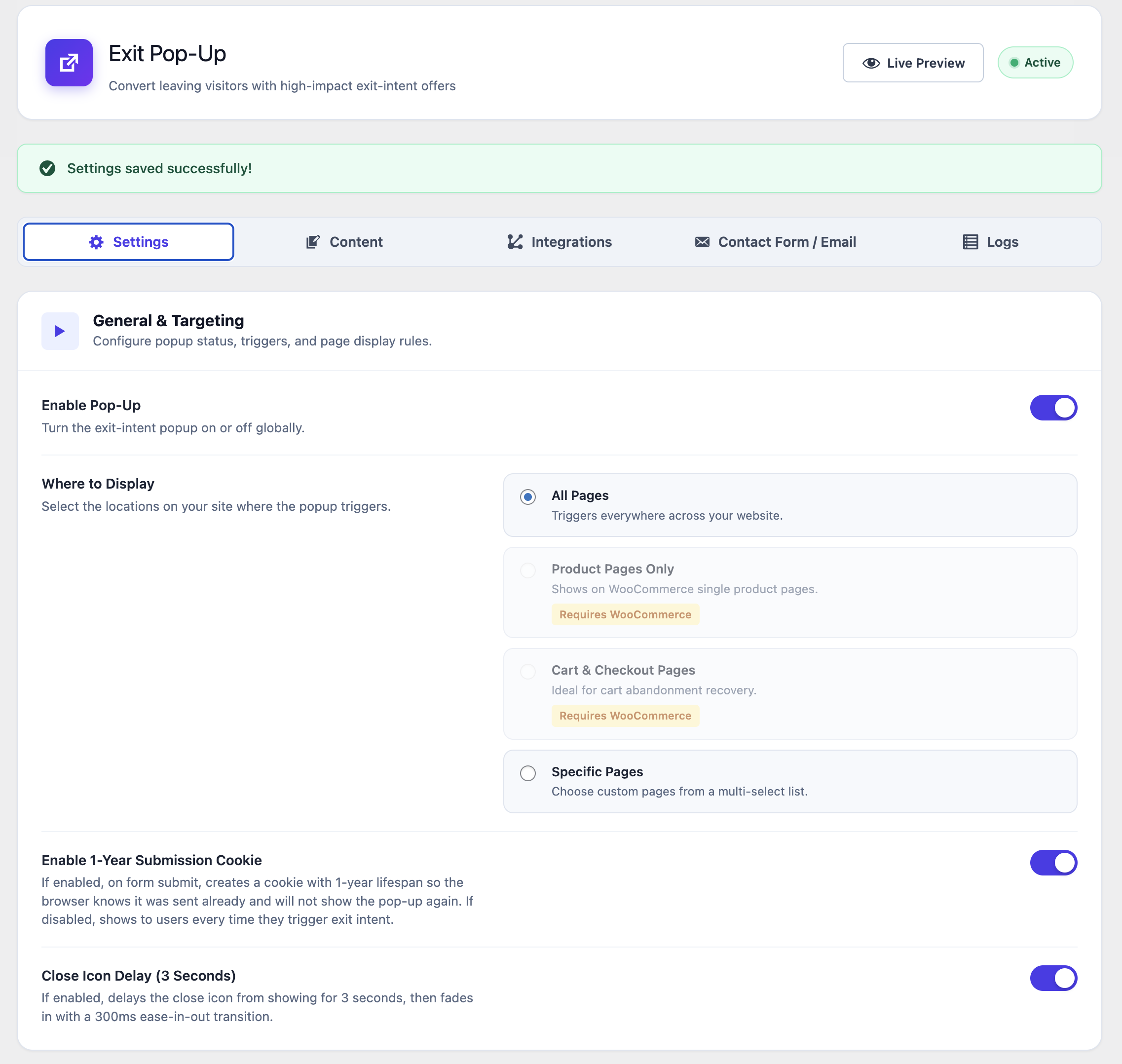
The plugin supports display rules for the whole website, individual product pages, and cart or checkout pages. This allows store owners to tailor offers to different stages of the shopping journey instead of showing the same message everywhere.
Customisable Campaigns Without Code
Headlines, promotional copy, button labels, images, colours, typography and spacing can be managed through the WordPress dashboard. A live preview helps the team review design changes before publishing, without needing a developer for routine campaign updates.
Direct Klaviyo and Brevo Integrations
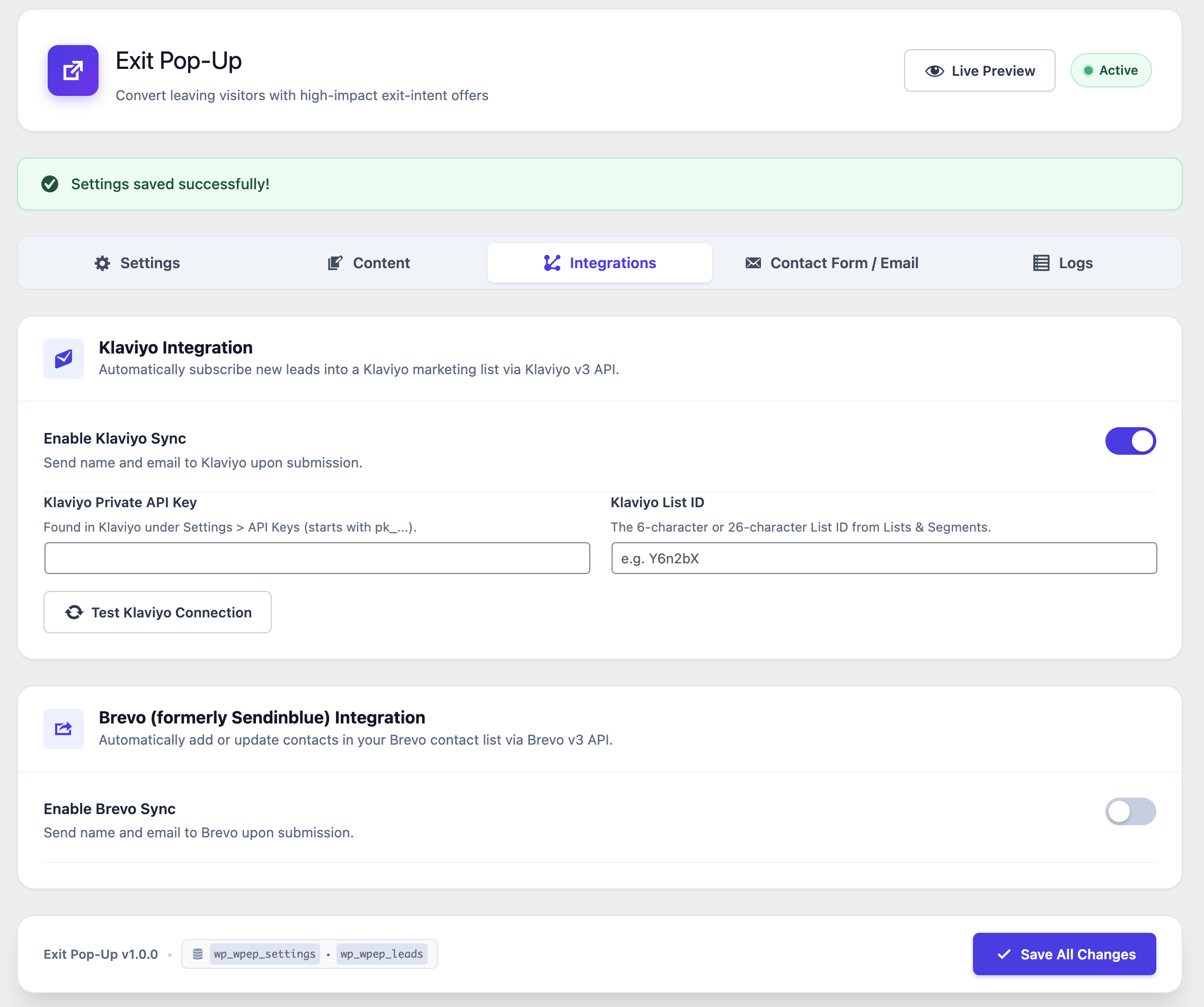
Exit Pop-Up connects with existing email marketing systems through their APIs. Store owners can configure the relevant credentials and list settings, test connections and send captured leads into their marketing workflows without manually exporting contact lists.
Duplicate Prevention and Display Rules
A cookie-based suppression period and server-side email checks help prevent repeat submissions and unnecessary pop-up displays. This supports a less intrusive visitor experience while allowing the business to configure how frequently an offer can appear.
Activity Logs and Integration Diagnostics
The plugin includes a connection tester and activity log for reviewing submissions, email notifications, integration synchronisation and failures. These tools make it easier to identify configuration problems and understand what happened when a lead was submitted.
Lightweight WordPress Development
The frontend uses vanilla JavaScript, while the plugin’s backend is built with PHP and WordPress APIs. AJAX-based submissions avoid full page reloads, and the implementation avoids introducing a heavy frontend framework solely for the pop-up functionality.
A Custom Plugin Using Native WordPress Architecture
We built Exit Pop-Up around WordPress’s plugin architecture, with an administration interface for configuration and dedicated database tables for settings, captured leads and activity logs. This separates the plugin’s operational data from the general WordPress options store.
The frontend communicates with WordPress through AJAX endpoints for form submissions, while administrative actions use permission checks and nonce verification. Input sanitisation and output escaping help protect the handling of submitted data and configured content.
For marketing integrations, the plugin communicates directly with the Klaviyo and Brevo APIs to create or update contact profiles and manage list subscriptions, including marketing consent where applicable. WooCommerce conditional logic controls where the pop-up is displayed, while WordPress’s native email functionality handles configurable notifications using custom templates and merge tags.
The administration interface brings campaign settings, visual customisation, integration configuration and activity logs together in one place. This gives store owners a practical way to manage campaigns while keeping the implementation specific to their WordPress environment.
Technology Stack
- WordPress and PHP: Custom plugin architecture and administration interface.
- WooCommerce: Page-specific targeting for products, cart and checkout.
- JavaScript and jQuery: Frontend behaviour and AJAX interactions.
- MySQL: Dedicated storage for plugin settings, captured leads and activity logs.
- Klaviyo API: Contact synchronisation and email marketing list integration.
- Brevo API: Contact synchronisation and email marketing list integration.
- WordPress AJAX and REST API functions: Communication between the plugin, WordPress and external services.
- WordPress Mail API: Configurable email notifications and HTML templates.
The Result
Exit Pop-Up provides a reusable lead-generation tool that we can deploy and configure for relevant WooCommerce projects. It brings targeted exit-intent campaigns, contact capture, marketing integrations and diagnostics into the WordPress dashboard, reducing the need for separate tools to manage these tasks.
The plugin also gives store owners more control over campaign presentation and targeting, while its lightweight frontend implementation avoids adding a large JavaScript framework for a focused feature.
Rather than relying on an off-the-shelf pop-up product, Exit Pop-Up gives us a custom solution that can be adapted to the requirements of each store and its existing marketing setup.
Built with the right technologies for a complex platform
Dancitive combines Laravel, React and Inertia.js with a range of supporting technologies and services to power its event management, social features, payments, mapping and administration.










More projects from our development team
Explore more custom platforms, business applications and digital solutions we’ve built for businesses with complex technical requirements.


CONTACT US
Get in touch
Got a custom development project, an integration that isn’t working or a platform that has outgrown its current build? Tell us what you’re dealing with, and we’ll review the technical requirements and recommend a practical way forward.

Give us a call and get an answer in seconds
Speak directly with our team about your platform, what you’re trying to improve and the technical challenges you’re facing. We’ll give you an honest view of what would be involved and where we can help.
Fill the contact form and we will contact you
Tell us about your current platform, what isn’t working properly, what you’re trying to build or where you need technical support. We’ll review the details and come back with a clear assessment and next steps.