
Custom Business Tools and Dashboards
We build custom business tools, dashboards and client portals for companies that have outgrown spreadsheets or cannot find off-the-shelf software that fits the way they work.
From internal tools and reporting dashboards to secure client portals and member areas, we build software around your workflows, data and user requirements. Where your systems already contain the information you need, we can also connect them through APIs and other integrations.
The result is a tool designed around your business rather than forcing your team to adapt to someone else’s software.
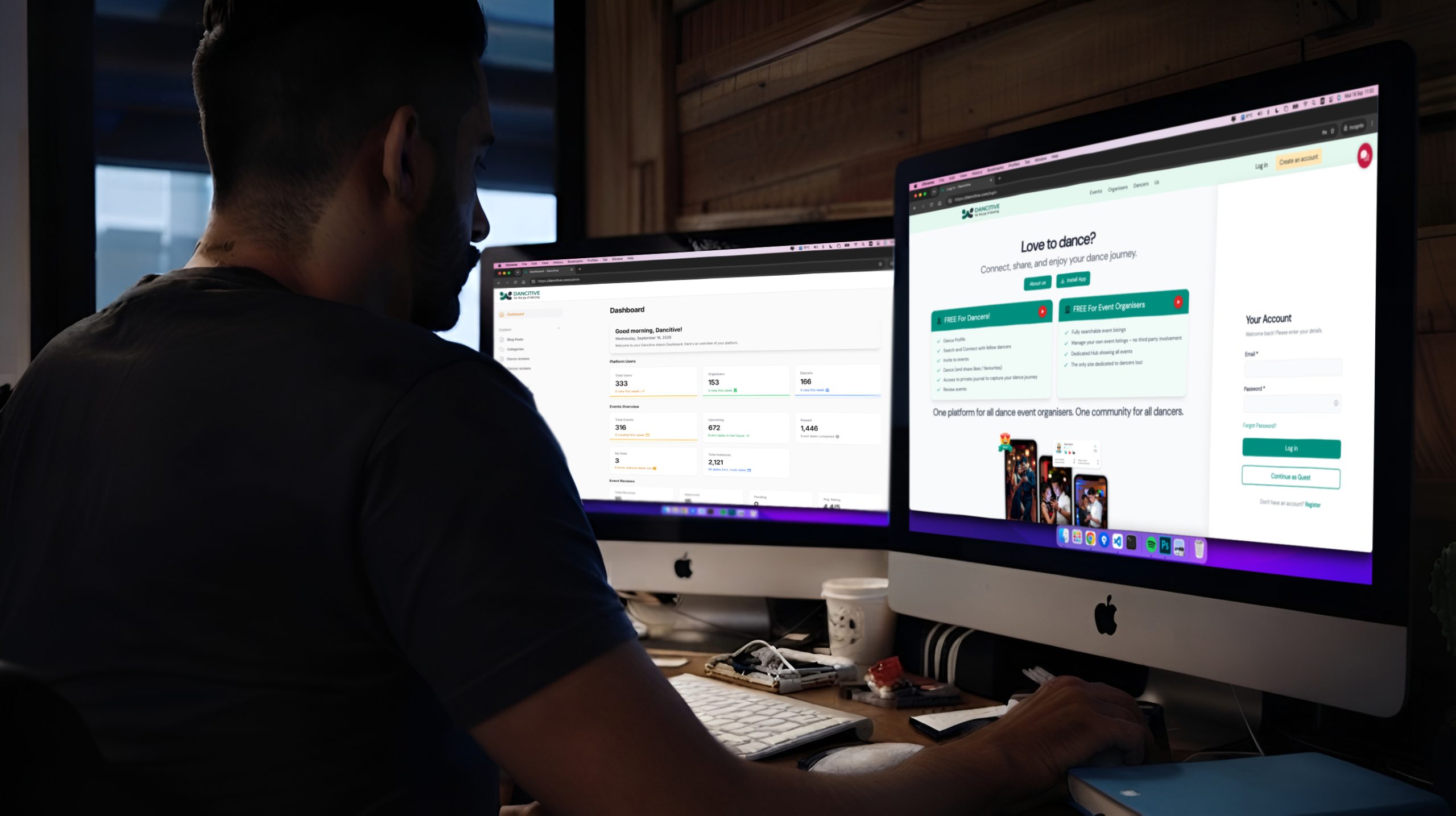
Software That Fits Your Business, Not the Other Way Around
Off-the-shelf software is designed for a broad range of businesses, which means it will not always match the way your organisation actually works.
We build custom tools around your processes, whether that means giving clients access to documents and account information, bringing data from multiple systems into one dashboard or replacing a spreadsheet-based workflow with a dedicated application.
Role-based access, authentication and integrations can be built into the platform from the start, giving each user access to the information and functionality relevant to them.
What Our Custom Tools and Dashboards Service Covers
We build internal and client-facing software around the workflows your business actually uses.
- Client portals: Secure, branded areas where customers can view orders, documents, project information or account details.
- Member areas: Account-based access to content, resources, training or subscription functionality.
- Business dashboards: Clear views of the data and metrics your team needs to monitor operations and make decisions.
- Internal business tools: Custom applications that replace spreadsheets, repetitive administration and manual workflows.
- Secure authentication and role-based access: User permissions designed around your organisation, so people only access the functionality and information relevant to their role.
- System integrations: Connections to CRMs, accounting platforms, ERP systems and other business software so your tool can work with the data you already have.
Why We Build Tools Around Your Process
Generic software has to work for many different types of businesses. As a result, teams often end up adapting their processes around the software, exporting data into spreadsheets or paying for features they do not need while still missing the functionality they actually require.
A custom tool starts with your workflow and data.
Your dashboard can show the metrics your team checks every day. Your client portal can expose exactly the information customers need. Your internal application can follow the way your team actually completes a task rather than forcing everyone through a generic workflow.
What You Get
- A client portal or member area built around your users and business processes.
- Dashboards focused on the information your team actually needs.
- Internal tools designed to replace specific manual processes and spreadsheets.
- Role-based permissions for staff, clients and other users.
- Integration with existing business systems and data sources where required.
- A maintainable platform that can be extended as your requirements change.
The Business Problems This Solves
Manual processes, spreadsheets and disconnected systems can create unnecessary work as a business grows. Information may need to be entered multiple times, reports may require manual preparation and customers may have to contact your team for information they could otherwise access themselves.
Custom tools can bring these processes into one system. A dashboard can bring together data from multiple sources, a client portal can provide self-service access to information and an internal application can automate repetitive workflows.
The aim is not to build software for the sake of it. We identify where technology can remove a genuine business problem and build the functionality around that requirement.
If your team is relying on spreadsheets, manual workarounds or several disconnected systems, we can assess the process and explore what a custom solution could look like.
Designed Around Your Workflow
We build the tool around the way your team actually works, rather than asking your team to adapt to a predefined workflow.

Granular Access Control
Role-based permissions allow you to control which features and information are available to different users, including staff, clients and external partners.

Current Business Data
Dashboards can connect to your existing systems and display current information, depending on the available data sources and integration requirements.

Control Over Your Platform
A custom application gives you control over the functionality, data structure and future development of the system, without being limited to the feature set of a third-party platform.
CASE STUDIES
Custom Tools and Dashboards in Practice
Explore examples of our work across custom development, client portals and complex digital platforms.
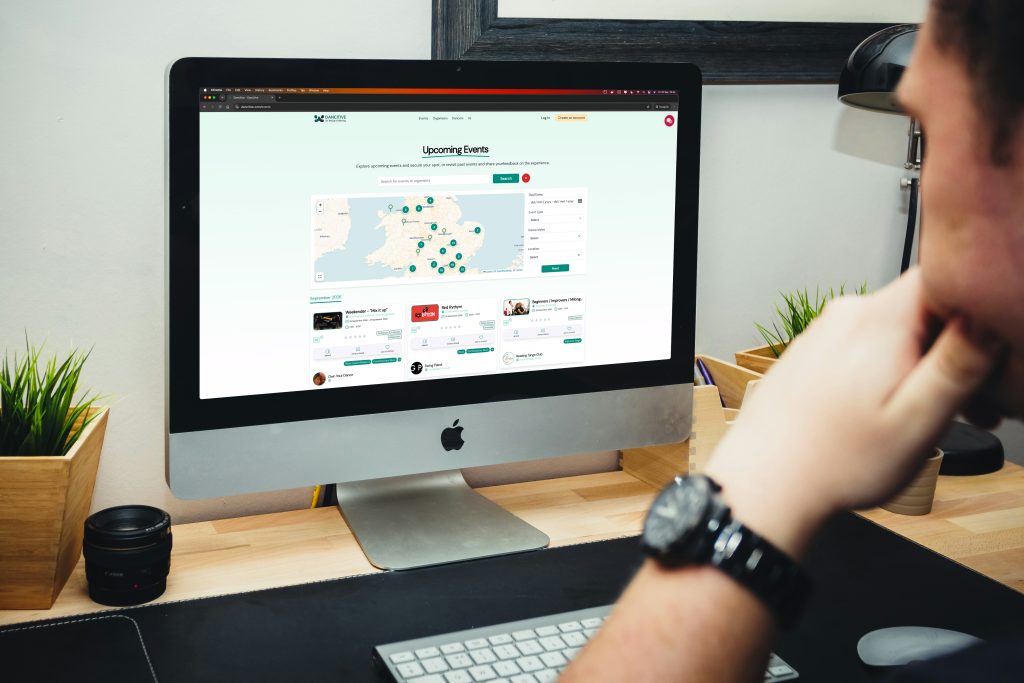
Dancitive
Dancitive connects dancers, events and organisers through a purpose-built platform for the partner-dance community. It combines event discovery, social interactions, dance assessments, personal journals and organiser management tools in one digital experience.
Open post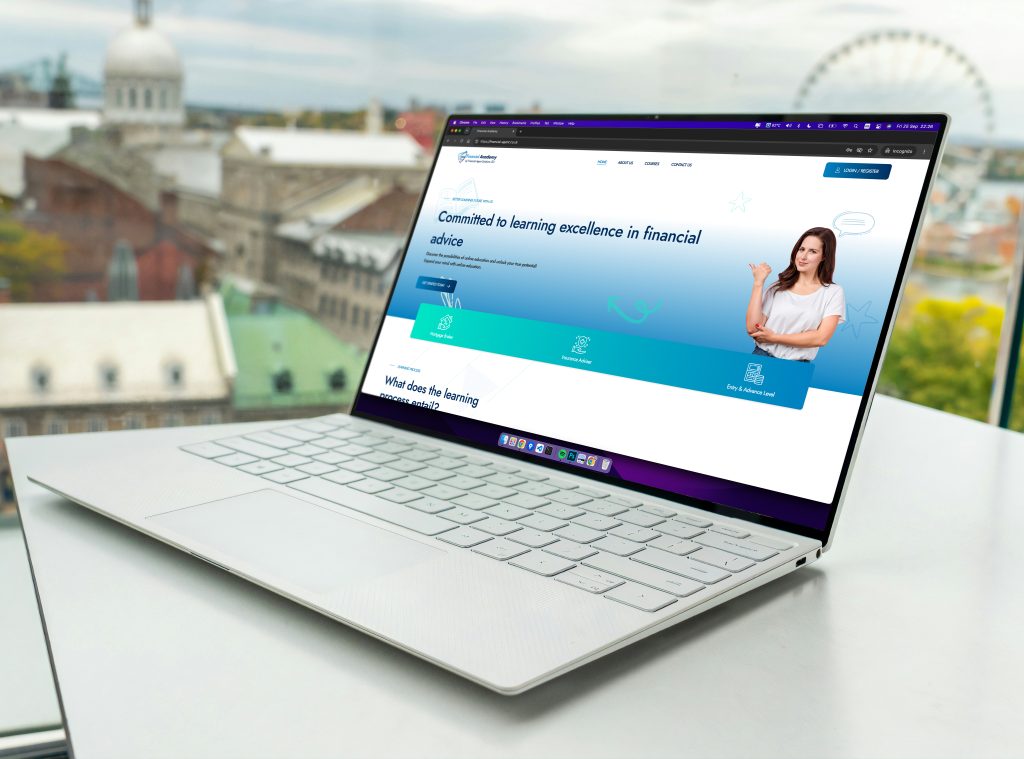
Financial Academy
We developed a gated WordPress learning management system for Financial Academy with administrator-controlled access, multi-level course prerequisites preventing advanced course access without foundational completion, embedded assessments with instructor-issued certification, and separate dashboards for instructors and students, creating a curated professional learning community.
Open postStart Your Project
Whether you need to replace a spreadsheet-based process, build a client portal or bring data from several systems into one dashboard, we can help define the technical approach and build it around your requirements.
FAQ
Your Custom Tool Questions Answered
Commissioning bespoke software involves questions about cost, development time, security and what happens after launch. Here are answers to some of the questions we hear most often.
Is building a custom tool more expensive than buying software?
The initial development cost can be higher than subscribing to an existing software platform. However, the right comparison also needs to consider ongoing subscription costs, manual work, limitations of the existing software and the cost of adapting your processes around it.
We assess the requirements first and can help determine whether custom development makes financial and practical sense for your business.
How long does it take to build a client portal or dashboard?
The timeline depends on the functionality, number of users, integrations and complexity of the workflows involved.
A relatively simple portal can take several weeks, while a more complex dashboard or business application connected to multiple systems can take considerably longer. After reviewing the requirements, we provide a clear scope and estimated timeline.
Can the tool integrate with our existing CRM or accounts package?
In many cases, yes. Modern business platforms often provide APIs or other integration methods that allow data to be exchanged with custom applications.
We assess the systems involved, their available interfaces and the data that needs to be transferred before recommending the most appropriate approach.
How do you ensure client data stays secure?
Security is considered throughout the application architecture. Depending on the requirements, this can include secure authentication, role-based access control, encrypted connections, appropriate data validation and integration with an existing single sign-on system.
The exact security measures depend on the type of information being handled and the requirements of the application.
What happens if we need changes or new features later?
We build applications with future development in mind. New features, integrations and workflow changes can be added as your requirements evolve.
We can also provide ongoing technical support and development for businesses that need regular changes after launch.
Do you provide training for our team?
Yes. We can provide documentation and training as part of the project where required.
Because the application is designed around your existing workflows, the interface and processes can be tailored to make adoption straightforward for the people who will use it.
CONTACT US
Ready to Streamline Your Operations?
If your team is spending too much time working around spreadsheets, disconnected systems or software that only partially fits your requirements, we can assess the workflow and identify where a custom tool could help.

Give us a call and get an answer in seconds
Speak directly with our team about your platform, what you’re trying to improve and the technical challenges you’re facing. We’ll give you an honest view of what would be involved and where we can help.
Fill the contact form and we will contact you
Tell us about your current platform, what isn’t working properly, what you’re trying to build or where you need technical support. We’ll review the details and come back with a clear assessment and next steps.